The Top 10 Pain Points Every Bookkeeper Faces (and How Smarter Tools Help)
Bookkeeping is not hard because of the numbers.
It is hard because of everything around the numbers.
Chasing receipts. Waiting on clients. Cleaning inconsistent data. Managing inboxes full of invoices, screenshots, and follow ups.
After speaking with bookkeepers and reading countless industry discussions, one pattern stands out. Most firms already use software. What they lack is time and clean workflows.
Automation exists, but it often solves tasks instead of fixing the underlying process.
Below are the ten most common bookkeeping pain points and how modern, workflow focused tools are starting to address them.
1. Collecting receipts and invoices from clients
This is the number one frustration for bookkeepers.
Invoices arrive late, incomplete, or not at all. Follow ups become routine. Month end turns into document chasing.
The problem is that document collection depends on memory instead of systems.
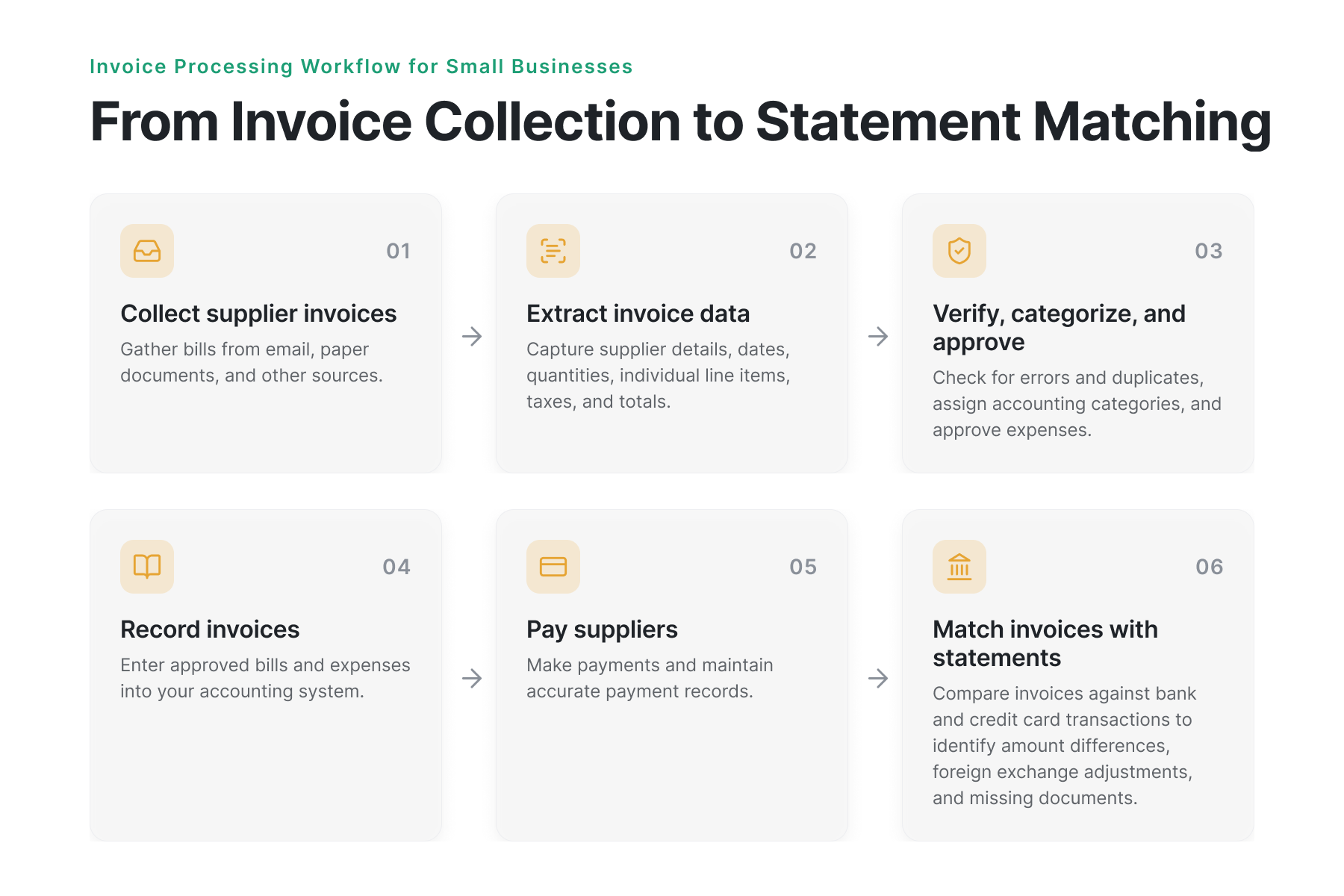
Modern tools reduce this friction by allowing clients to send invoices the way they already do, by email or upload, while automation handles sorting and data extraction. Tools like Spendifique are designed to make invoice intake predictable instead of reactive.
2. Slow client responses
Most bookkeeping delays come from waiting for answers, approvals, or missing information.
Technology cannot change behavior, but it can reduce hesitation. When workflows are simple and familiar, clients respond faster. Fewer steps mean fewer stalled conversations and fewer reminders.
3. Missing or inconsistent data
Automation is only helpful when the data is reliable.
Duplicate receipts, missing tax details, and inconsistent vendor names all create rework and second guessing.
Newer systems flag duplicates, highlight inconsistencies, and learn from past categorizations. This helps bookkeepers review faster and trust what they see.
4. Backlogs and catch up bookkeeping
Backlogs build quietly and then become overwhelming.
When documents arrive in bursts instead of continuously, cleanup work expands quickly.
Automated uploads, email forwarding, and consistent categorization allow bookkeepers to stay current. Steady data flow reduces catch up work and month end pressure.
5. Reconciliation fatigue
Reconciliations are essential but time consuming.
Timing differences, duplicates, and missing transactions require investigation even when patterns repeat.
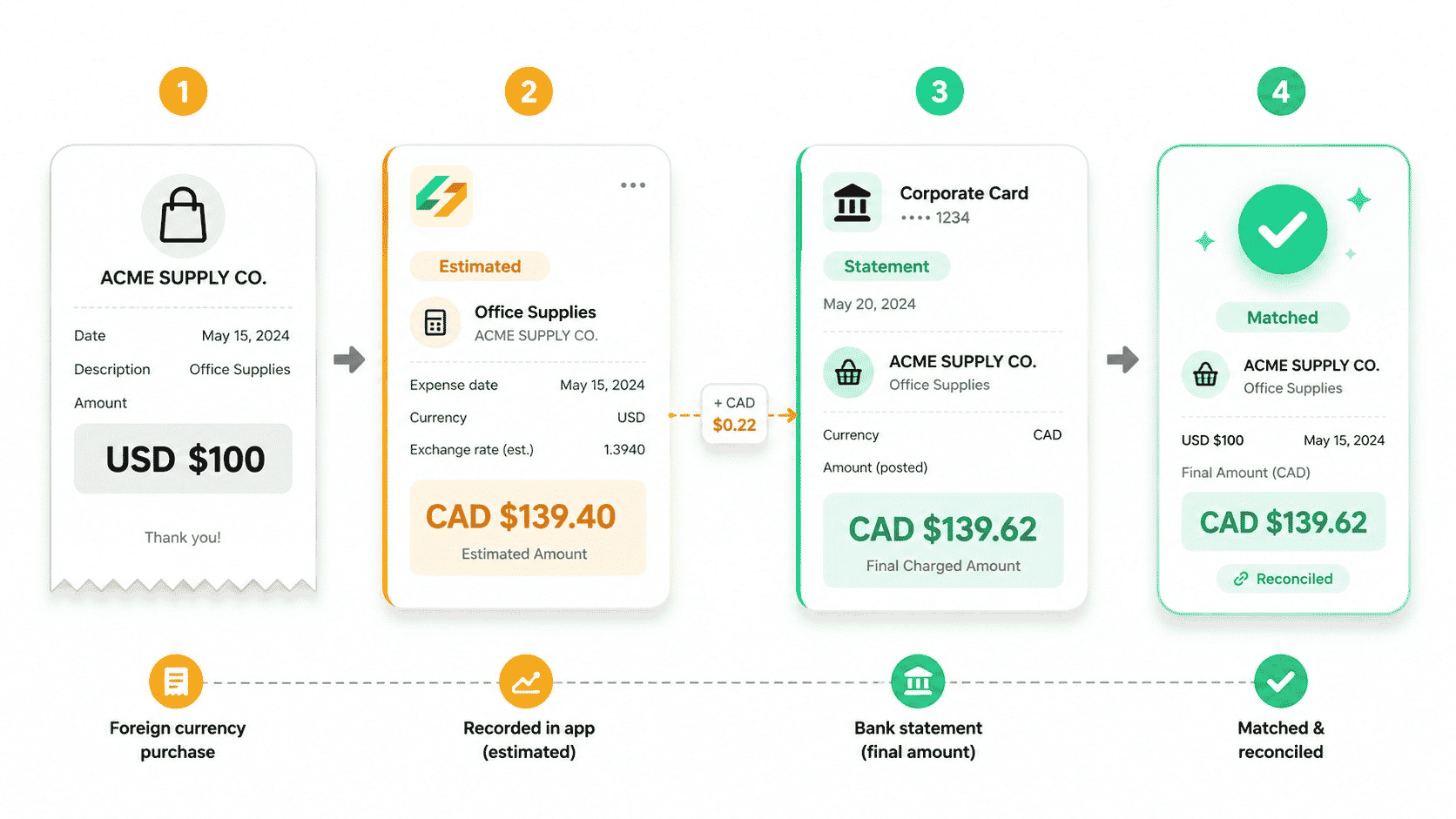
Smarter tools now compare documents and transactions automatically and flag mismatches earlier. This reduces repetitive checking and keeps focus on true exceptions.
6. Complex or edge case transactions
Not every expense fits a simple rule.
Reimbursements, personal spending, and multi line invoices require context.
AI can assist by suggesting treatments based on how similar transactions were handled previously. This improves consistency without forcing rigid rules.
7. Sales tax complexity
Managing GST, PST, VAT, and other taxes adds risk and stress.
Manual tax handling increases the chance of errors, especially across multiple clients or regions.
Some platforms now extract tax data directly from invoices and apply appropriate treatment automatically, reducing manual effort and review time.
8. Scaling without burning out
Every bookkeeping firm reaches a capacity limit.
More clients mean more admin unless workflows improve.
Tools built for scale focus on batch review, fast client switching, and automated intake. This allows firms to grow without hiring simply to keep up.
9. Software that creates more work
Many bookkeepers have experienced tools that promise automation but add complexity.
Broken integrations, confusing interfaces, and rigid processes slow things down.
Reliable accounting software should work with QuickBooks, Xero, and simple CSV exports without forcing unnecessary changes.
10. Profitability and scope creep
Admin work eats into margins.
Time spent chasing documents and fixing data makes pricing harder and scope creep more common.
When intake and review are streamlined, bookkeepers can charge for expertise instead of absorbing busywork. Automation supports profitability when it removes friction instead of adding it.
A calmer way to run a bookkeeping practice
Bookkeepers keep small businesses running, often behind the scenes. Yet many are buried under avoidable inefficiencies.
The goal of modern bookkeeping software should not be to replace professionals, but to support them with clearer workflows and less noise.
Spendifique was built with this in mind. It focuses on predictable invoice intake, faster review, and cleaner data so bookkeepers can spend less time on admin and more time on meaningful work.
If these pain points feel familiar, testing a workflow improvement with one client is often the simplest place to start.