Stop Entering Receipts
One by One
Snap a photo, forward an email, or drag and drop. Spendifique's AI extracts the data, categorizes your expenses, and gets everything organized. Your evenings are yours again.




We Know What's Eating Your Hours
We're here to help if any of this sounds familiar:
Sound familiar?
You started a business to build something — not to spend your nights typing receipts into a spreadsheet.
- You have a shoebox (or a phone full of photos) of receipts you haven't entered yet.
- You're typing vendor names, amounts, and dates one by one into QuickBooks or a spreadsheet.
- Your receipts are scattered across your email, your phone, and your desk drawer.
- Tax season is coming and you're dreading the scramble to get organized.
- You want to know where your money is going, but you don't have time to figure it out.
Four Reasons Business Owners Choose Spendifique
Whether you're drowning in receipts, overpaying for expense software, or still using a spreadsheet, Spendifique is the simpler, more affordable way to manage your business expenses.

Unlimited Users, One Price
Your whole team submits receipts. No per-seat fees. No surprise charges as you grow.

Simpler Than You Think
No expense policies to configure. No training for your team. Sign up, snap a receipt, and you're running.

AI Does the Data Entry
Snap a photo or forward an email. AI extracts vendor, amount, date, and category automatically.


Works With Your Accountant
Share your account with your bookkeeper or accountant. They get organized, categorized data — ready to review and export.
Everything You Need to Stay on Top of Your Business Expenses
Beyond fast extraction and simple setup, Spendifique gives you the tools to manage multiple clients, control approval workflows, and handle any document format your clients throw at you.
Snap a Receipt. Done.
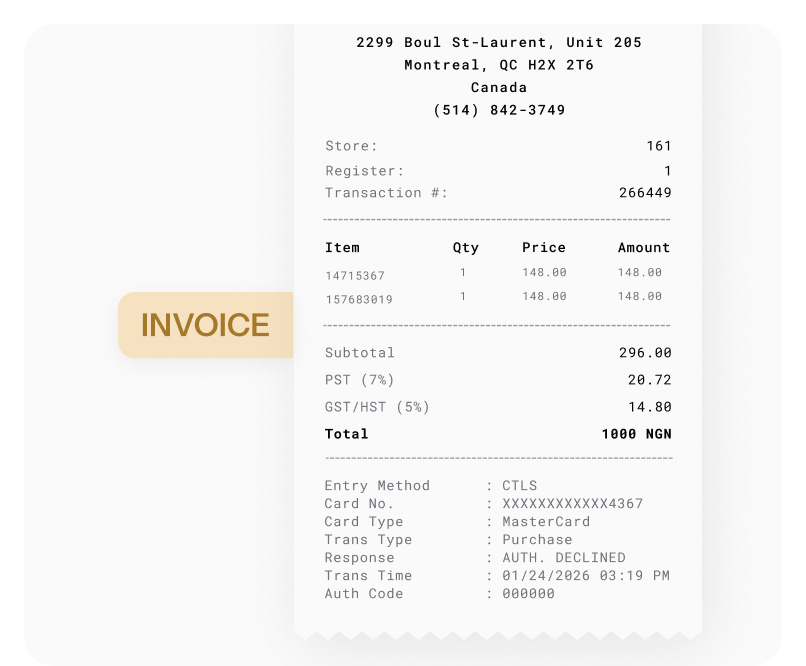
Grab your phone, take a photo, and the receipt is captured and categorized before you put your phone away. No app to download, works in your mobile browser. Capture receipts at lunch, on a job site, or between meetings.
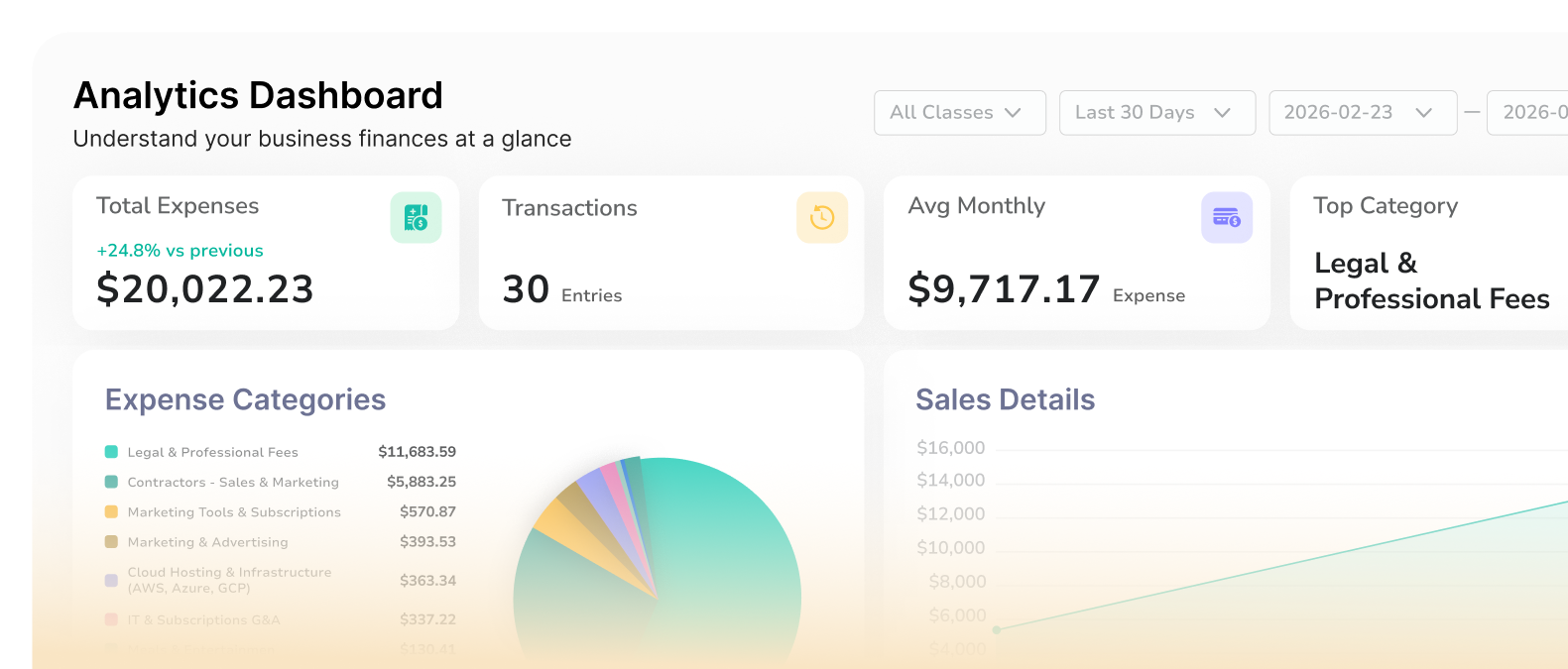
See Where Every Dollar Goes
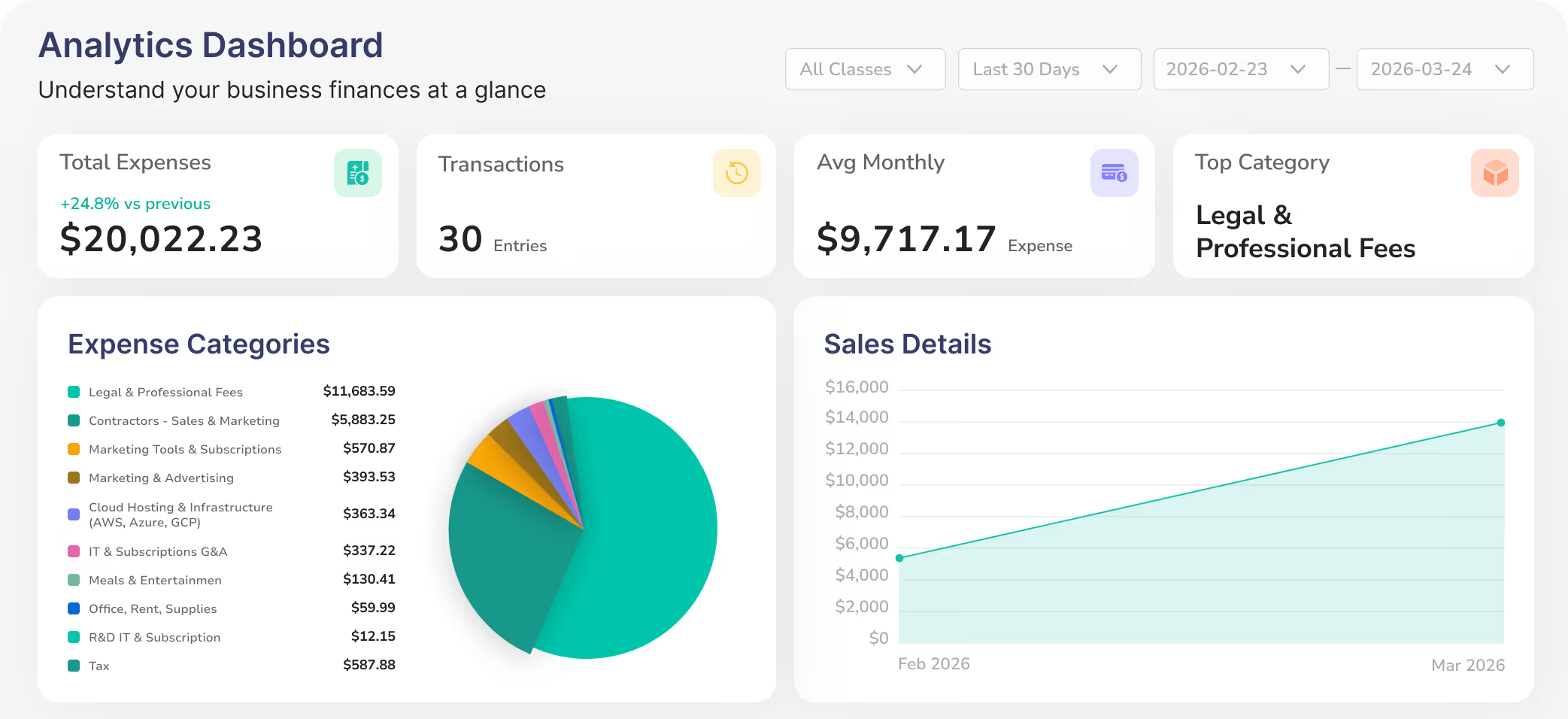
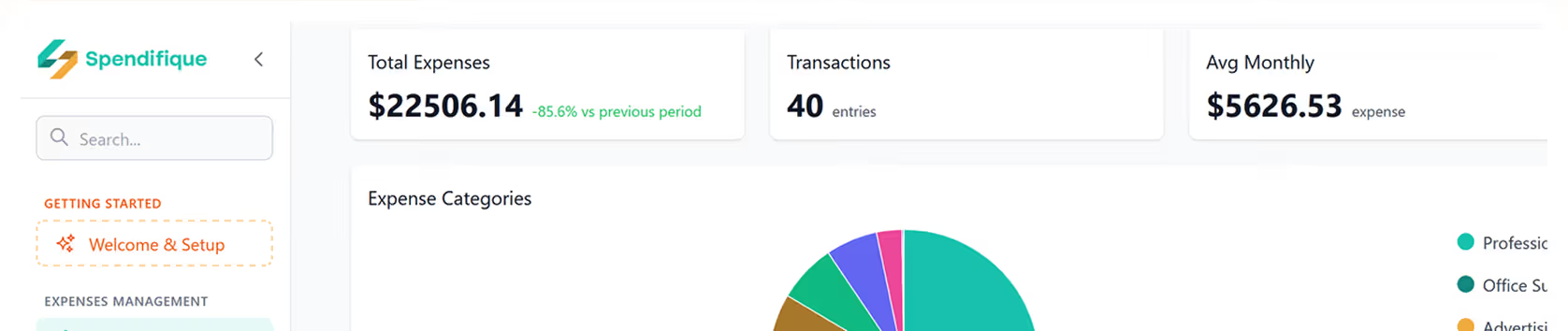
Track your spending by category, compare month over month, and spot trends before they become problems. No spreadsheet formulas needed. Your dashboard updates in real time as expenses are added.
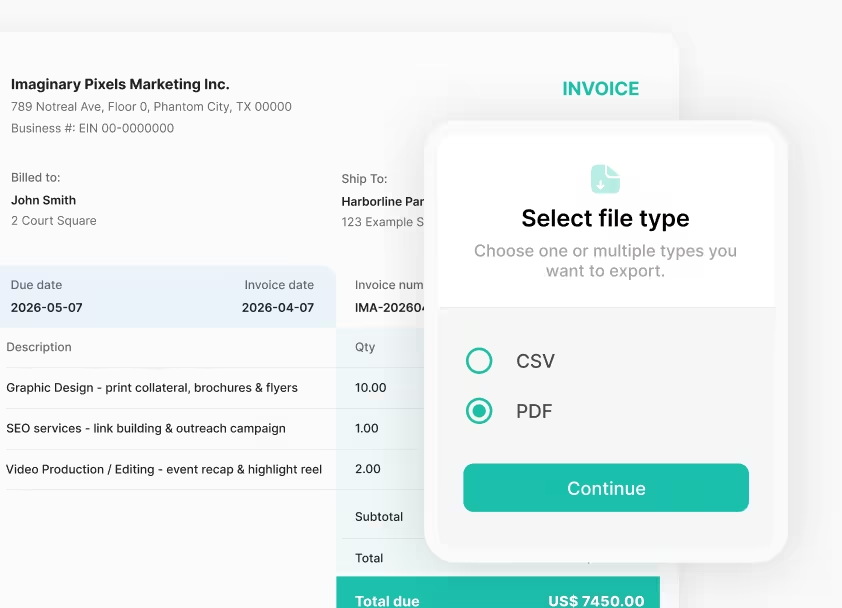
Tax-Ready Reports in One Click
Export your expenses as CSV or PDF anytime. Organized by date, vendor, and category, ready for your accountant or for your own records.
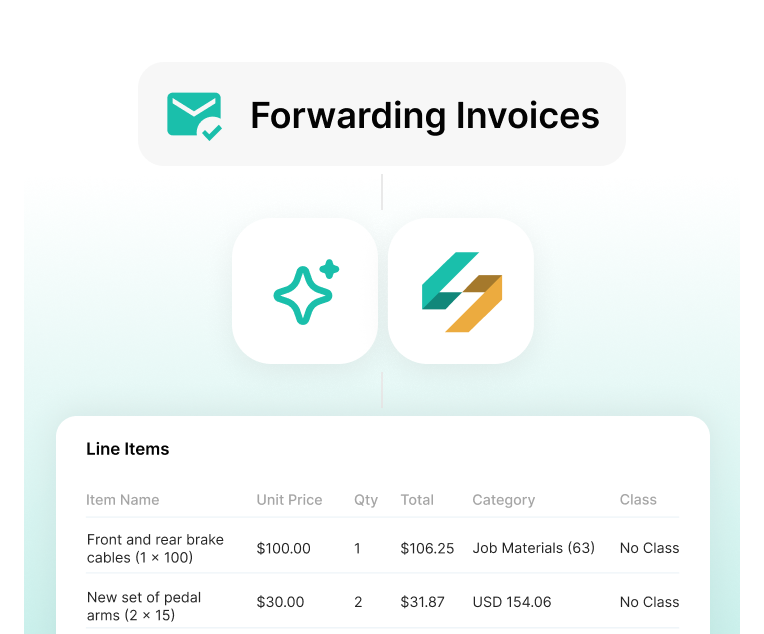
Forward It and Forget It
Got an invoice in your email? Forward it to your Spendifique address. It's processed and categorized automatically. No login needed.
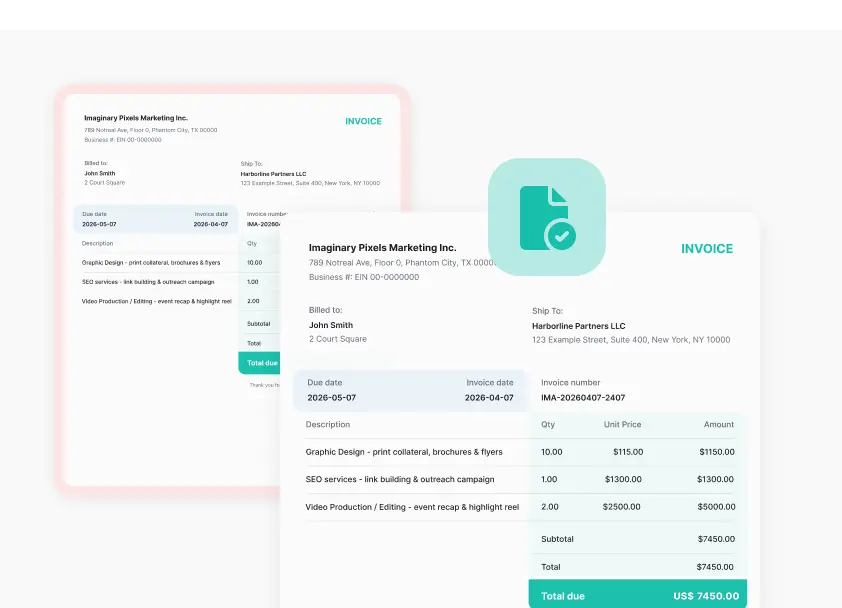
No More Double Entries
Spendifique automatically flags duplicate invoices before they reach your books. One less thing to worry about at reconciliation time.
Try Out All the Features Yourself
Spendifique focuses on the unglamorous parts of the job. Collecting invoices, extracting data, and keeping expenses consistent across clients.
From Receipt to Done — In Four Steps
No manual entry. No spreadsheets. Just snap, forward, or drop in your receipts and let Spendifique handle the rest.
What Business Owners Are Saying
Real feedback from founders and business owners using Spendifique every day.
What made me switch was the lack of minimum client requirements. I didn’t want to pay for 10 clients when I only had 4 active ones. The multi-invoice PDF detection has also been surprisingly useful: it asks for confirmation and then automatically splits documents, which saves me a lot of manual effort. The extraction accuracy is better than what I’ve used in Xero and Hubdoc. Turnaround time is fast, and the suggestions are usually correct.

Having no limits on scans or line items is a big win. I don’t have to worry about usage caps when clients upload a large batch of invoices. The multi-line extraction works well, even on more detailed invoices with lots of items. I also appreciate that vendor recognition improves over time, it genuinely feels like the system learns and becomes more accurate the more I use it.
The pricing model is what made me switch. I only pay for the clients I actually have, so there’s no pressure to hit a minimum. The PDF splitting feature is also really useful: it detects when a file contains multiple invoices, prompts me for a quick check, and then separates them automatically. Extraction is fast and usually accurate, even compared with what I used in Xero and Hubdoc.

Spendifique has made receipt and invoice collection much easier for us. It is simple, fast, and feels more modern than a lot of older tools. There is still room to grow, but it already saves us time and reduces manual admin. The AI behind invoice and receipt recognition is also state of the art - we have not seen it make mistakes even for some of our complex documents.

I found Spendifique genuinely helpful and trusted the results. The bank statement reconciliation made it much easier to complete my expenses without manually checking every transaction.

The comprehensive features of Spendifique cater to all our accounting needs. From invoicing to expense tracking, it covers everything. It's a reliable partner for any business looking to enhance its financial management.

Spendifique has streamlined our accounting processes significantly. The automation features save us time and reduce errors, allowing us to focus on growth and strategy. Highly recommended for startups.

A great app to scan receipts and integrate with QuickBooks. It helps speed up the bookkeeping process and save time.

Speed is what really stands out. I can upload an invoice and within seconds, it's categorized with the vendor and tax details already filled in. The centralized dashboard makes managing multiple clients much easier, especially when assigning work to team members.

The workflow is straightforward and doesn't try to do too much. Setting up new clients is fast, and the chart of accounts and vendor lists sync automatically. Clients find the interface easy to use too, which cuts down on back-and-forth.
What made me switch was the lack of minimum client requirements. I didn’t want to pay for 10 clients when I only had 4 active ones. The multi-invoice PDF detection has also been surprisingly useful: it asks for confirmation and then automatically splits documents, which saves me a lot of manual effort. The extraction accuracy is better than what I’ve used in Xero and Hubdoc. Turnaround time is fast, and the suggestions are usually correct.
Having no limits on scans or line items is a big win. I don’t have to worry about usage caps when clients upload a large batch of invoices. The multi-line extraction works well, even on more detailed invoices with lots of items. I also appreciate that vendor recognition improves over time, it genuinely feels like the system learns and becomes more accurate the more I use it.
The pricing model is what made me switch. I only pay for the clients I actually have, so there’s no pressure to hit a minimum. The PDF splitting feature is also really useful: it detects when a file contains multiple invoices, prompts me for a quick check, and then separates them automatically. Extraction is fast and usually accurate, even compared with what I used in Xero and Hubdoc.
Spendifique has made receipt and invoice collection much easier for us. It is simple, fast, and feels more modern than a lot of older tools. There is still room to grow, but it already saves us time and reduces manual admin. The AI behind invoice and receipt recognition is also state of the art - we have not seen it make mistakes even for some of our complex documents.
I found Spendifique genuinely helpful and trusted the results. The bank statement reconciliation made it much easier to complete my expenses without manually checking every transaction.
The comprehensive features of Spendifique cater to all our accounting needs. From invoicing to expense tracking, it covers everything. It's a reliable partner for any business looking to enhance its financial management.
Spendifique has streamlined our accounting processes significantly. The automation features save us time and reduce errors, allowing us to focus on growth and strategy. Highly recommended for startups.
A great app to scan receipts and integrate with QuickBooks. It helps speed up the bookkeeping process and save time.
Speed is what really stands out. I can upload an invoice and within seconds, it's categorized with the vendor and tax details already filled in. The centralized dashboard makes managing multiple clients much easier, especially when assigning work to team members.
The workflow is straightforward and doesn't try to do too much. Setting up new clients is fast, and the chart of accounts and vendor lists sync automatically. Clients find the interface easy to use too, which cuts down on back-and-forth.
Simple Pricing. No Per-Seat Fees.
Start free. Upgrade when you're ready. Your whole team can submit receipts — no extra charge per user.
Free
Try Spendifique with no commitment. 30 free scans included. Then $0.50 per scan. No subscriptions required.
- 30 free scans included
- $0.50 per scan after
- 1 user
- AI-powered extraction and categorization
- Multi-currency support with auto FX conversion
- Duplicate detection
- QuickBooks and Xero sync
- Data export (CSV)

Get 30 free scans to test how Spendifique works for your business. No subscription required — pay $0.50 per scan only when you need more.
Starter
Unlimited scans and smart automations for solo operators and freelancers.
- Everything in Free
- Unlimited scans
- 1 user
- Vendor auto-categorize rules
- Sales tax tracking
- Email forwarding for receipts
- Multi-invoice PDF splitting
- Batch operations
- Basic reporting dashboard
- Email support
Unlimited scans, full AI extraction, and smart automations for $9/month. One user, everything you need to manage your own expenses without a bookkeeper.
Business
Unlimited expense management for your whole team
- Everything in Starter
- Unlimited users
- Approval Workflows
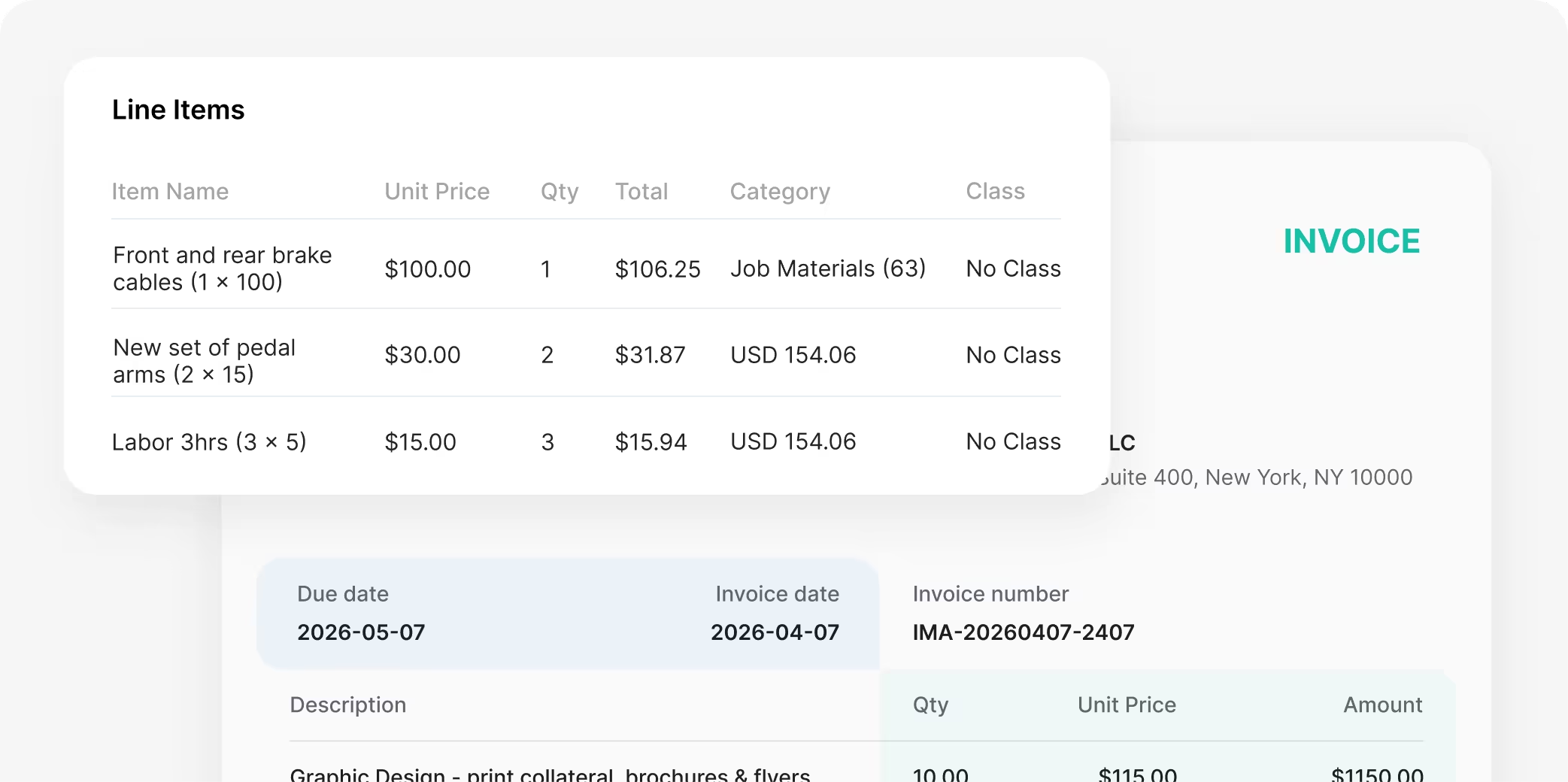
- Multi-line expense extraction
- Share your account with a bookkeeper
- Class / Customer Tags
- Expense reports (PDF export)
- Analytics dashboard
- Early access to beta features
- Priority email support

One price for your entire team. No per-seat fees. No per-scan limits. Every feature included — from AI extraction to QuickBooks sync.
Questions? We've got answers.
Spendifique is an AI powered expense and document capture tool designed for bookkeepers and small accounting firms. It helps collect receipts and invoices from clients, automatically extract key data, review documents in batches, and sync clean entries to accounting software.
No. Spendifique is not a full bookkeeping or accounting software. It focuses specifically on collecting documents, extracting expense data, and preparing clean entries that are then sent to accounting software like QuickBooks Online. It can assist in creating entries on an Excel or Google Sheet before you adopt a bookkeeping or accounting software.
Spendifique's AI extracts vendor name, amount, date, tax, and category with high accuracy out of the box. When combined with your chart of accounts and historical vendor data, categorization becomes near-perfect. You can always review and edit before exporting, so nothing reaches your books without your approval.
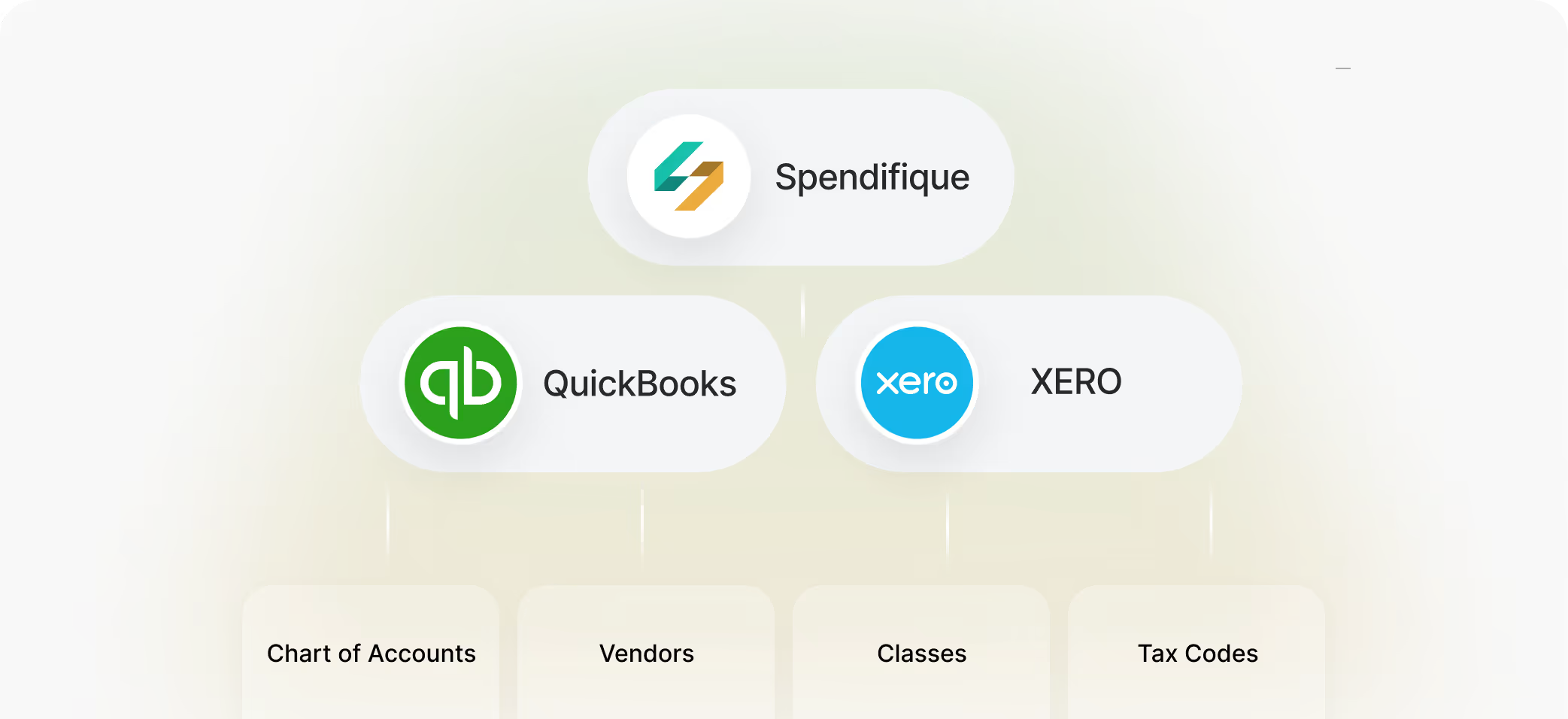
Yes. Spendifique syncs directly with QuickBooks Online and Xero. Your chart of accounts, vendors, tax codes, and classes are imported automatically — so every expense lands in the right place when you export.
answer
Yes. You can invite your bookkeeper or accountant to access your Spendifique account. They'll see your organized, categorized expenses — ready to review and export to your accounting software.
The Bookkeeper plan is $19 per client per month. No minimums — start with one client and add more as you grow. Every feature is included. Unlimited users. No per-scan fees. There's also a free plan with 30 scans to test the product before committing.
No. All plans are month-to-month. No long-term contracts. No cancellation fees. You can cancel anytime from your account settings.
No. Spendifique works in your web browser and on your phone's mobile browser. There's nothing to install or download. Just sign up and start capturing receipts.
More questions?

Start Using Spendifique With Your Next Client
Set up in minutes. See how much time you save on invoice collection and expense entry. No long-term commitment.