
Split a Multi-Invoice PDF Into Separate Files, In Seconds
Upload one bundled PDF and our AI splits it into a separate file per invoice, each automatically named by vendor, date, and invoice number. No page-picking, no renaming.
Files deleted after 7 days. See FAQ for details.
How It Works
Drop in your PDF. We do the rest.
Works with bank statements, vendor invoice bundles, scanned receipt batches, and consolidated supplier statements.
Help Us Improve the Splitter
Have feedback, spotted an issue, or want a feature added?
We’d love to hear from you and build a better experience together.
Why We Built This
The splitter you just used is one feature inside Spendifique. Our AI-powered expense capture tool for bookkeepers and small businesses. Inside Spendifique, this same AI not only splits PDFs, but extracts every line of data and syncs it to QuickBooks or Xero. We figured there's no reason not to share the splitter for free.
Use it as much as you want.
No signup. No watermarks. No catch.
If you ever get tired of doing this manually, for every multi-invoice PDF, every month, that's what Spendifique is for.
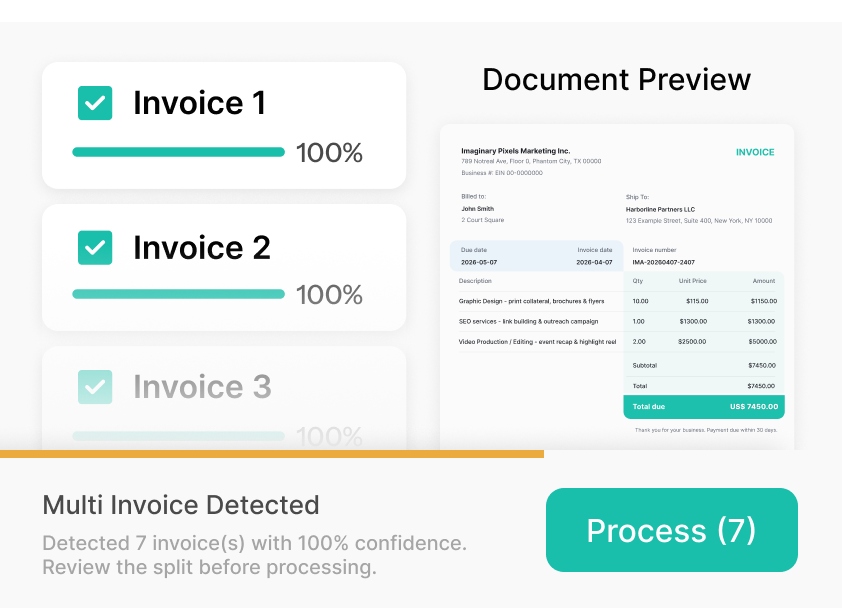
From Receipt to Real-time Insights
Our AI processes your documents instantly, extracts expense data, and provides actionable business intelligence, all automatically.
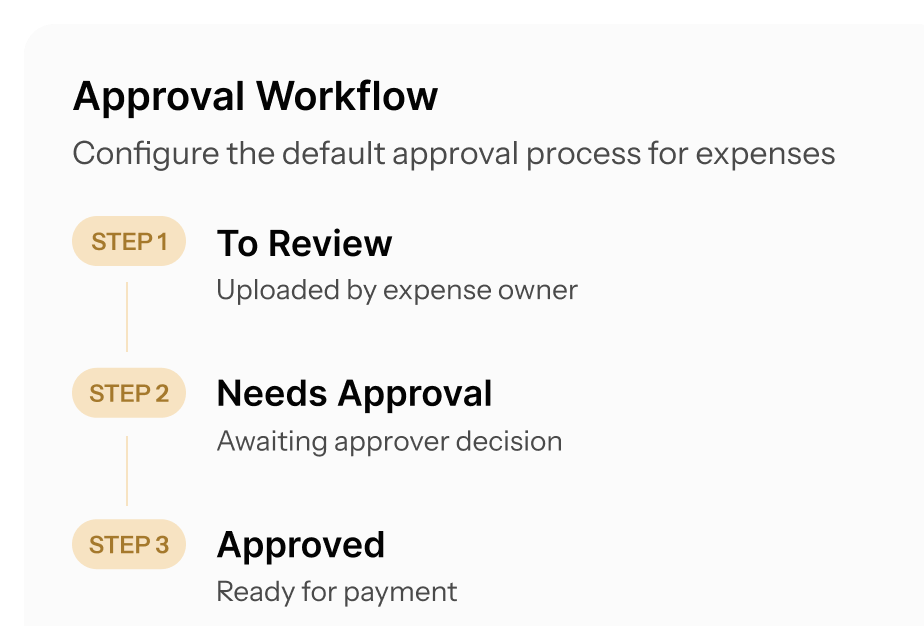
Review, Approve, and Export With Confidence
Our AI processes your documents instantly, extracts expense data, and provides actionable business intelligence, all automatically.
One Dashboard. Every Client
Our AI processes your documents instantly, extracts expense data, and provides actionable business intelligence, all automatically.

Forward an Invoice. It’s Done
Our AI processes your documents instantly, extracts expense data, and provides actionable business intelligence, all automatically.
Process 10 Invoices at Once
Our AI processes your documents instantly, extracts expense data, and provides actionable business intelligence, all automatically.
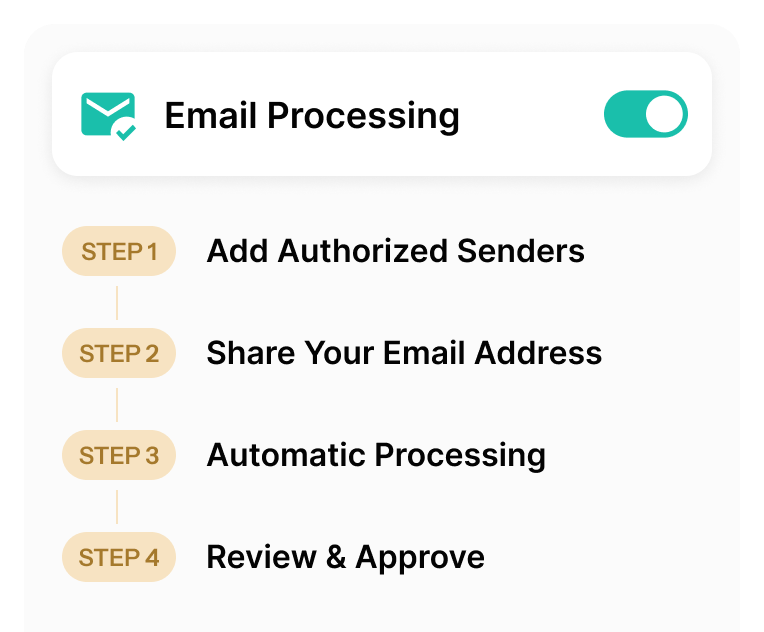
Any Currency. Auto-Converted
Invoices in foreign currencies are automatically converted to your preferred currency. No manual lookups or spreadsheet formulas needed.
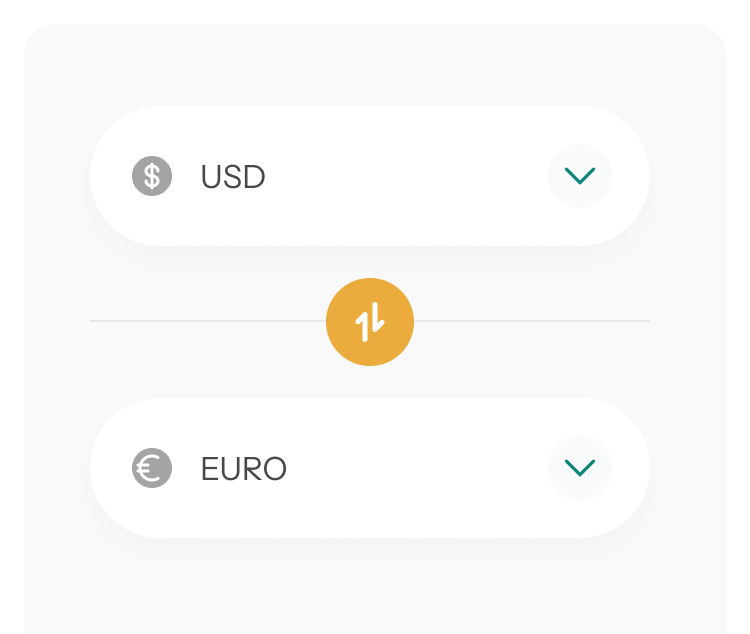
From Receipt to Done — In Four Steps
No manual entry. No spreadsheets. Just snap, forward, or drop in your receipts and let Spendifique handle the rest.
Simple Pricing. No Surprises.
Start free with 30 scans. Upgrade when you're ready. Paid plans includes unlimited scans, unlimited users, and full access to every feature.
Free
Try Spendifique with no commitment. 30 free scans included. Then $0.50 per scan. No subscriptions required.
- AI-powered extraction and categorization
- Approval workflow
- QuickBooks and Xero sync
- Email forwarding
- Duplicate invoice detection
- Unlimited manual expense entry
- Multi-currency support
- Data export (CSV/PDF)

Start with 30 free scans to see how Spendifique fits your workflow. Pay only $0.50 per scan after that — no subscription required.
Bookkeeper
Per client license for bookkeepers and accounting firms
- Everything in Free
- Unlimited scans per client
- Unlimited users
- Firm dashboard for managing all clients
- Priority email support
- Early access to beta features

Add clients as you grow. $19 per client per month — no minimums, no per-user fees, no hidden charges. Every feature included.
Custom
For firms with 30+ clients, volume discounts, onboarding support, and custom billing options.
- Everything in the Bookkeeper plan
- Volume discounts for 30+ clients
- Dedicated onboarding support
- Custom billing arrangements
- Priority support
Managing 30 or more clients? Let's build a pricing plan that works for your firm. No commitment required to start the conversation.
Questions? We've Got Answers.
Files up to 25 MB and 50 pages. This handles most real-world bookkeeper PDFs — month-end statements, vendor invoice bundles, scanned receipt batches, and consolidated supplier statements. If your file is larger, please let us know through our Contact Us page so we know how much of a demand this is.
Yes. No signup or account required, no watermark on the output. Use it as much as you want.
Upload a PDF with multiple invoices bundled together. Our AI detects where each invoice starts and ends, then splits them into individual PDF files. You can download all the files as a ZIP, or have them emailed to you.
Your uploaded PDF and the split output files are stored on our servers for up to 7 days so you can download them later or use the email link we send. After 7 days, they are automatically and permanently deleted.
We collect anonymized usage metrics like page counts, split boundary detections, and error rates to improve the tool. We do not sell or share your data, and do not use your files to train AI models.
For complete details, see our Privacy Policy.
Spendifique is an AI powered expense and document capture tool designed for bookkeepers and small accounting firms. It helps collect receipts and invoices from clients, automatically extract key data, review documents in batches, and sync clean entries to accounting software.
The Bookkeeper plan is $19 per client per month. No minimums — start with one client and add more as you grow. Every feature is included. Unlimited users. No per-scan fees. There's also a free plan with 30 scans to test the product before committing.
Yes. Spendifique syncs directly with QuickBooks Online and Xero. Your chart of accounts, vendors, tax codes, and classes are imported automatically — so every expense lands in the right place when you export.
No catch. We built this because Spendifique already does it as part of our product, and we figured there's no reason not to share the underlying tool for free. If you like it, take a look at Spendifique. If not, no hard feelings.
Our AI detects document boundaries automatically by reading the layout, page structure, and content cues. For most multi-invoice PDFs, the split is fully automatic.
Multi-invoice PDFs, bank statements with multiple transactions, vendor invoice bundles, and consolidated supplier statements. If your PDF contains multiple distinct documents, we can split it.
Each file is named automatically using the vendor, date, and invoice number, in the format Vendor_Date_Invoice# (for example, Acme-Supplies_2026-01-24_INV-1042.pdf). No more renaming document_1.pdf by hand. [Add if applicable: You can review and adjust any name before downloading.]
More questions?
Start Using Spendifique With Your Next Client
Set up in minutes. See how much time you save on invoice collection and expense entry. No long-term commitment.