
Manage employee mileage and reimbursements in one place
Keep track of business mileage and out-of-pocket expenses without the spreadsheets or back-and-forth. Set custom reimbursement rates, review employee claims, and manage approvals from desktop or mobile.
Get started free
From business trips to out-of-pocket expenses
Keep employee mileage and reimbursable expenses organized in one place, whether you're working from your desktop or phone.
Mileage tracking
Log each trip with its purpose and distance. Spendifique applies your mileage rate and calculates the amount automatically.
Explore Spendifique app →
Expense reimbursements
Turn any expense employees paid for themselves into a reimbursement, or create one from scratch.


Bundle expenses into one claim
Put mileage and out-of-pocket expenses in a single reimbursement, so it gets reviewed once.
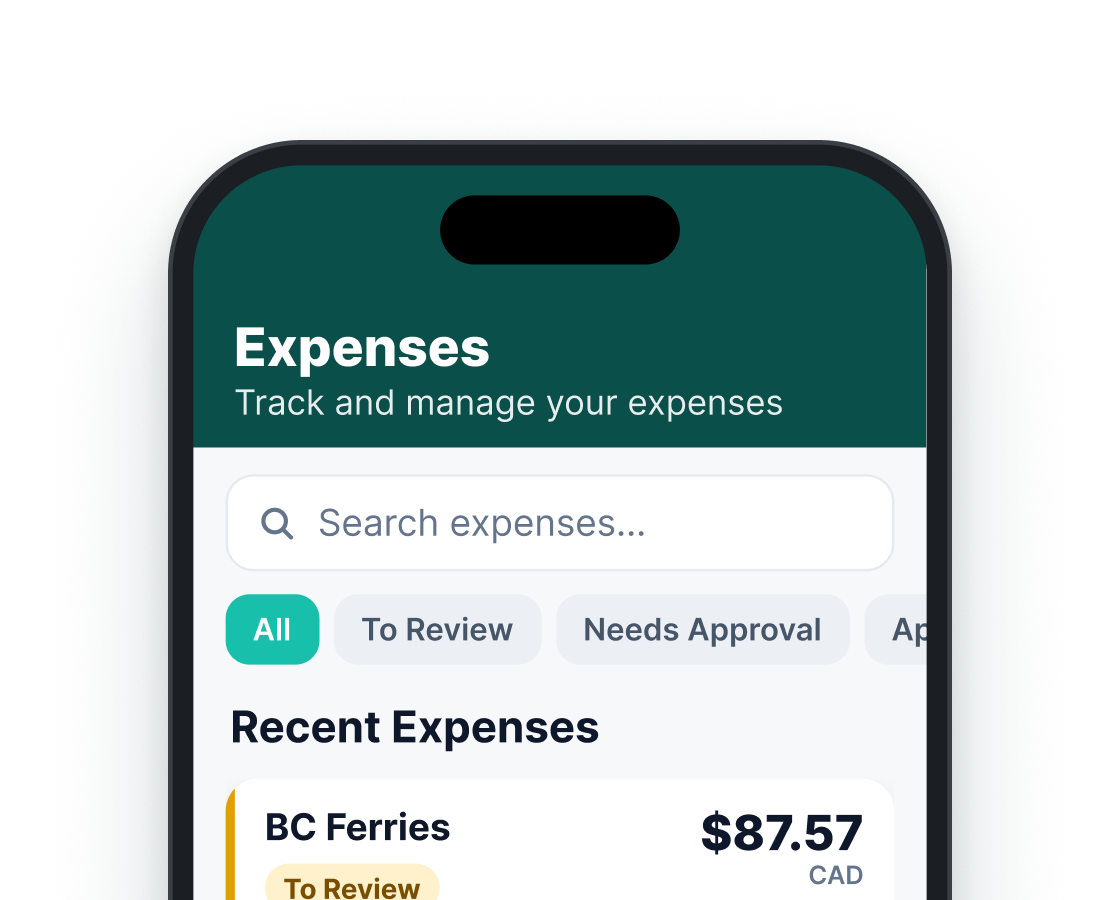

Track reimbursement spending
View reports on how much you’ve reimbursed over any period, broken down by employee.
Set your own reimbursement rules
Custom reimbursement rates
Set reimbursement rate per mile or kilometer.

Expense categories
Choose which accounts mileage or reimbursements can be booked to.

Approval rules
Set up to three levels of approval and assign approvers at each stage.

See every reimbursement in one place
Review employee mileage and expense reimbursements, check supporting receipts, and track approval and payment statuses. Keep all your reimbursement claims organized and easy to manage.

More than mileage and reimbursements
Keep employee expenses connected to the rest of your bookkeeping with Spendifique's other features.
Line item extraction
Every line on the invoice is pulled out, with its description, amount and tax.
Inbox Sync
Connect your email to automatically collect new invoices as they arrive.
Statement matching
Match receipts to bank and card statements and see what's still missing.
Accounting integration
Sync to QuickBooks Online or Xero with the PDF attached, or export to Google Sheets.
Built for bookkeepers and small businesses
Bookkeepers & firms

From $16.50 / client / mo.
Keep client mileage and employee reimbursement records organized, with supporting receipts, expense categories, and approval details together.
Small businesses

From $8 / mo.
Manage employee mileage and out-of-pocket expenses without spreadsheets or scattered receipts. Set reimbursement rates, review claims, and approve expenses in one place.
What our customers are saying
Real feedback from bookkeepers and small businesses using Spendifique every day.
What made me switch was the lack of minimum client requirements. I didn’t want to pay for 10 clients when I only had 4 active ones. The multi-invoice PDF detection has also been surprisingly useful: it asks for confirmation and then automatically splits documents, which saves me a lot of manual effort. The extraction accuracy is better than what I’ve used in Xero and Hubdoc. Turnaround time is fast, and the suggestions are usually correct.

Having no limits on scans or line items is a big win. I don’t have to worry about usage caps when clients upload a large batch of invoices. The multi-line extraction works well, even on more detailed invoices with lots of items. I also appreciate that vendor recognition improves over time, it genuinely feels like the system learns and becomes more accurate the more I use it.
Speed is what really stands out. I can upload an invoice and within seconds, it's categorized with the vendor and tax details already filled in. The centralized dashboard makes managing multiple clients much easier, especially when assigning work to team members.

The workflow is straightforward and doesn't try to do too much. Setting up new clients is fast, and the chart of accounts and vendor lists sync automatically. Clients find the interface easy to use too, which cuts down on back-and-forth.
Questions about mileage and reimbursements?
Employees can record business trips in Spendifique from their phone or desktop. They enter the trip date, purpose, starting point, destination, and distance. Spendifique then automatically calculates the reimbursement amount using your company's configured mileage rate.
Yes. Spendifique lets you set a custom reimbursement rate per mile or kilometer. You can also choose the expense categories employees can use for mileage claims and set a default category.
No. Employees enter their trip details and distance manually. Spendifique automatically calculates the reimbursement amount based on the distance entered and your configured mileage rate. Automatic route distance isn't available yet.
Yes. Employees can record business mileage and manage expense reimbursements using the Spendifique mobile app on iPhone or Android, or from their desktop.
Yes. Once a reimbursement is approved, you can export it to QuickBooks Online or Xero along with its supporting documents.
Yes. Bookkeepers can use Spendifique to organize client mileage and reimbursement records, review supporting documents, and keep reimbursable expenses categorized for bookkeeping.
No. Pay employees your usual way, then mark the reimbursement as paid in Spendifique so you can see what's still outstanding.
More questions?
Simplify mileage and expense reimbursements
Keep employee expenses organized, automate mileage calculations, and manage reimbursement claims with Spendifique.
Get started free