
Close the month with every invoice in.
Collect documents straight from client inboxes. Complete the month by matching statements and requesting what’s missing. Code every line into QuickBooks or Xero.




We know what's eating your hours
Every bookkeeper knows the drill: too much time on admin, not enough on the work that actually matters.
Chasing clients for receipts
You spend more time chasing client receipts than reviewing them.
Retyping data that's already on the invoice
You're re-entering the same invoice data you can already see on the document.
Month-end takes too long
End-of-month closes take longer than they should, and every client adds more admin.
From invoice to export in four steps
Whether invoices come from a client’s inbox, a phone photo, a forwarded email or an upload, here’s what happens next.
Collect.
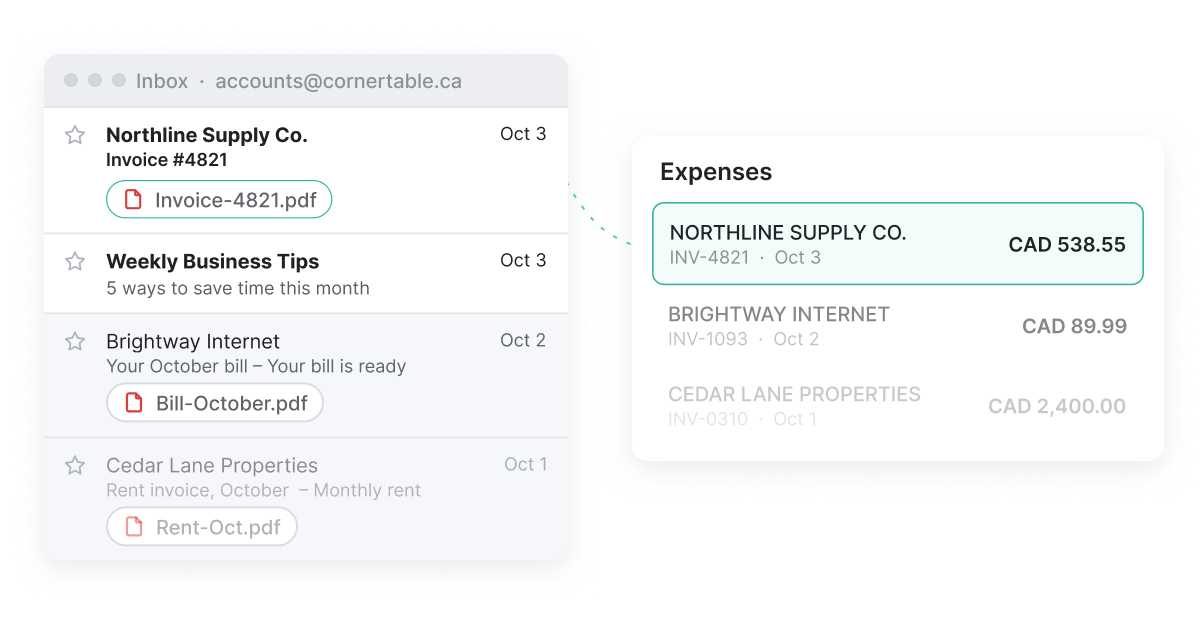
Connect a client’s inbox once and invoices come in on their own. Clients can also snap receipts in the app or forward them by email.
Extract.
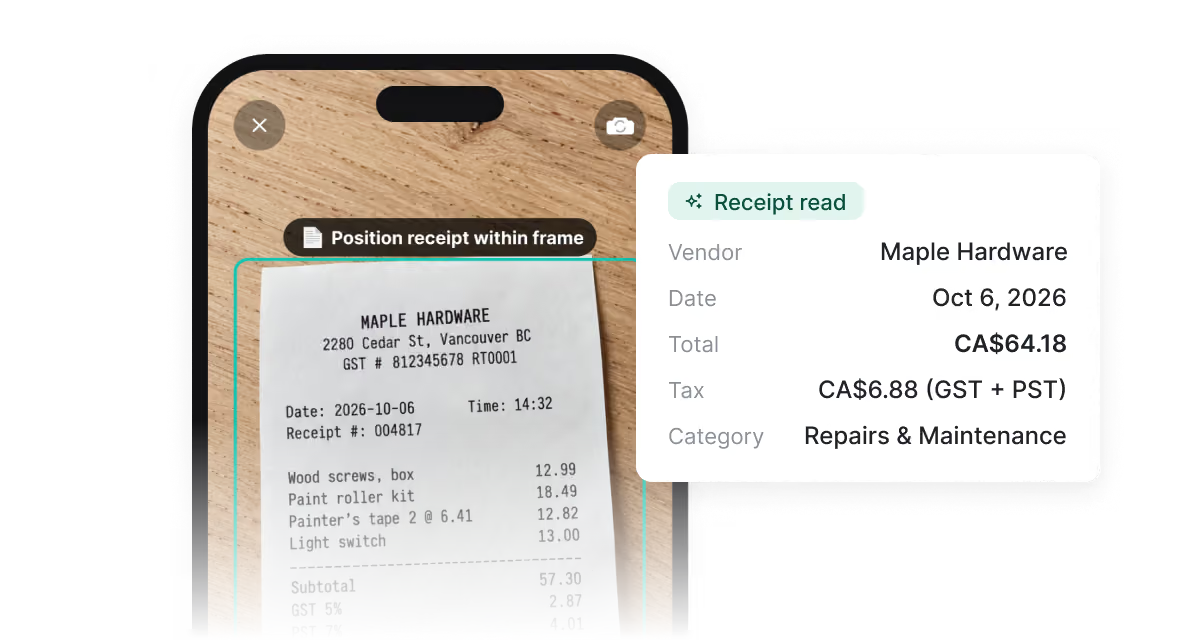
Vendor, date, tax and every line item are pulled out in seconds. Each line is coded from the client’s chart of accounts and past choices.
Complete.
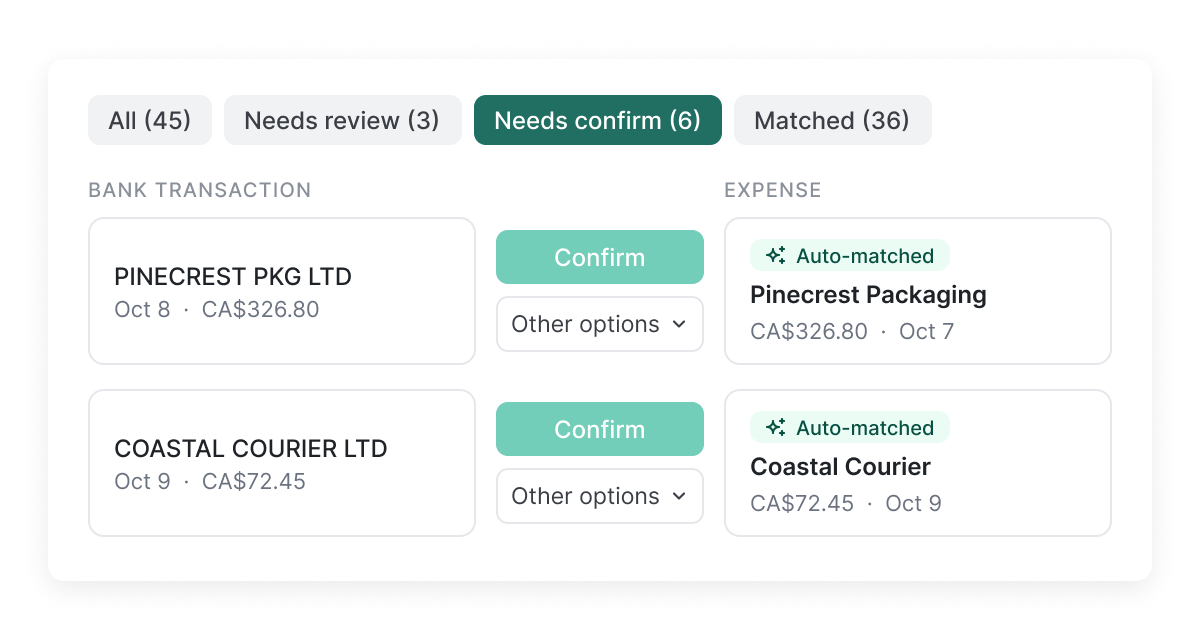
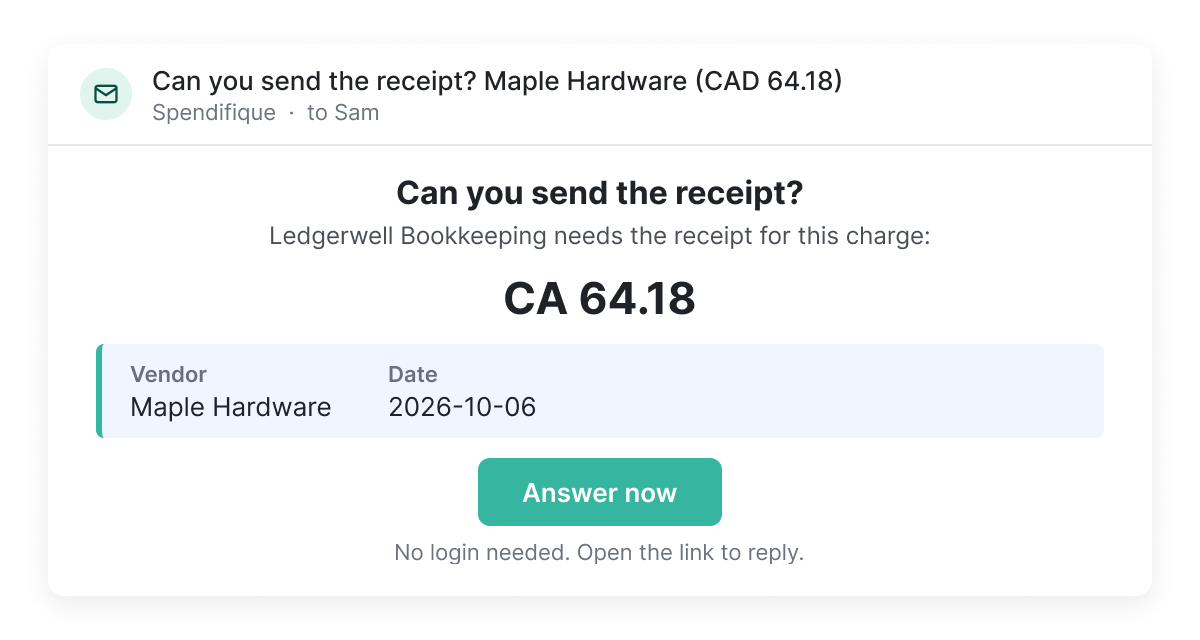
Upload a bank or card statement to see what’s matched and what’s missing. Request a missing receipt in one click, and duplicates are flagged before they reach the books.
Post.
Send approved expenses and bills to QuickBooks Online or Xero with the PDF attached, or export to Google Sheets or CSV.
Everything you need to manage client expenses
Collect documents from every client, extract the data, and keep expenses consistent across your whole firm.
Connect a client’s inbox once. New invoices arrive every day.
Clients scan a receipt with their phone. AI reads vendor, amount and tax in seconds.
Ask for a missing receipt in one click. Clients answer from a link, no login needed.
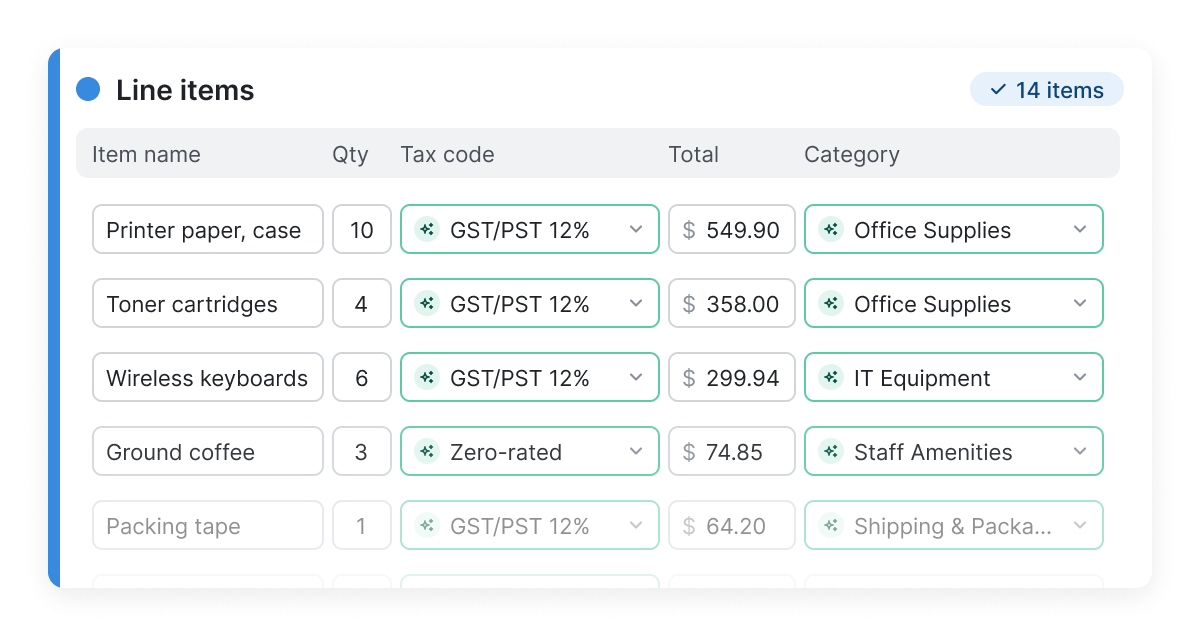
Every invoice line item, extracted and coded. No line limits.
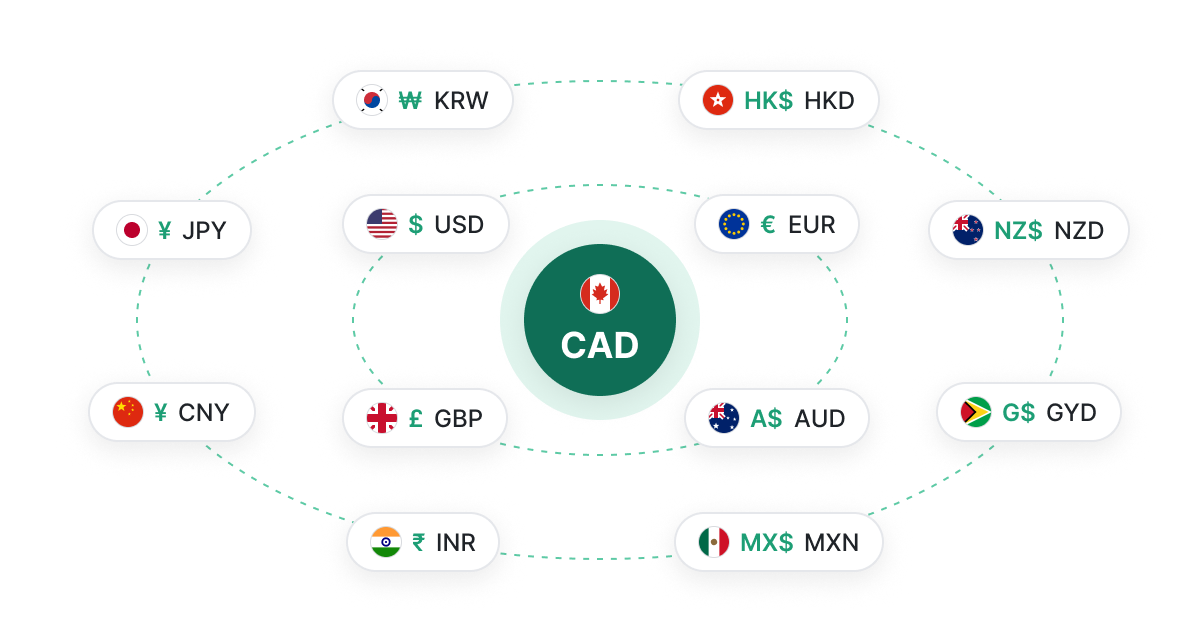
Spend in 26 currencies. Every amount converted at that day’s rate.
One login for every client
Run the whole practice from one place, with your team and your clients’ sign-offs built in.
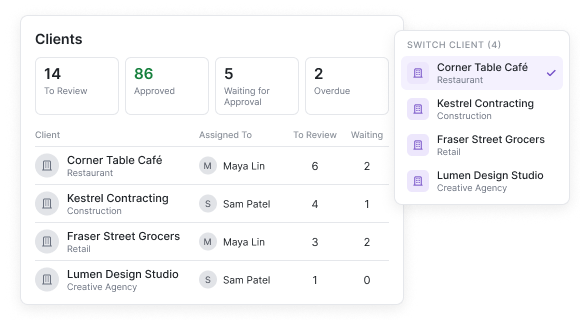
See what every client needs.
Switch between clients without signing out. Assign clients to staff and see at a glance who has documents missing, items to review, or work waiting for approval.
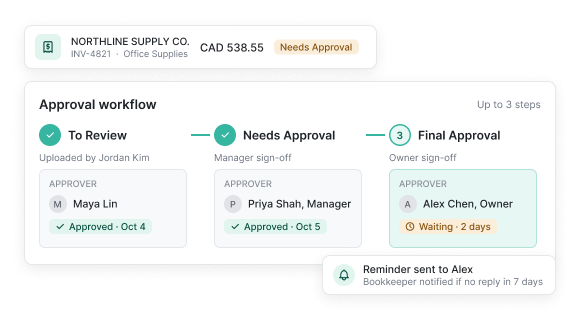
Approvals when a client needs sign-off.
Route expenses through up to three approval tiers before anything posts. Batch approve, batch edit, batch post.
Also included
Credit memos
Supplier credits captured and applied automatically.
Supplier statements
Statements checked against the invoices you already have.
PO matching
Invoices checked against the purchase order before approval.
Expense claims
Staff submit expenses and get reimbursed in one flow.
Mileage tracking
Business trips logged alongside every other expense.
Projects and tags
Track spending by project or any custom tag.
Reports and trends
Monthly spending and expense reports for every client.
Full-text search
Find any document by vendor, amount, or any word.
What bookkeepers are saying
Real feedback from bookkeepers and firms using Spendifique every day.
What made me switch was the lack of minimum client requirements. I didn’t want to pay for 10 clients when I only had 4 active ones. The multi-invoice PDF detection has also been surprisingly useful: it asks for confirmation and then automatically splits documents, which saves me a lot of manual effort. The extraction accuracy is better than what I’ve used in Xero and Hubdoc. Turnaround time is fast, and the suggestions are usually correct.

Having no limits on scans or line items is a big win. I don’t have to worry about usage caps when clients upload a large batch of invoices. The multi-line extraction works well, even on more detailed invoices with lots of items. I also appreciate that vendor recognition improves over time, it genuinely feels like the system learns and becomes more accurate the more I use it.
Speed is what really stands out. I can upload an invoice and within seconds, it's categorized with the vendor and tax details already filled in. The centralized dashboard makes managing multiple clients much easier, especially when assigning work to team members.

The workflow is straightforward and doesn't try to do too much. Setting up new clients is fast, and the chart of accounts and vendor lists sync automatically. Clients find the interface easy to use too, which cuts down on back-and-forth.
Simple pricing. No surprises.
Less time on receipts, more time with your clients. Start free and pick a plan when you're ready.
Basic
Try Spendifique with no commitment. No subscription required.
Bookkeeper
Simple per-client pricing for bookkeepers and accounting firms.
Custom
Volume pricing, onboarding help and custom billing for firms with 30+ clients.
Frequently asked questions
Spendifique is an AI-powered receipt and invoice capture tool for small businesses, bookkeepers and accounting firms. It collects documents from your inbox, your phone or your team, extracts the key data, lets you review everything in batches, and syncs clean entries to QuickBooks Online or Xero.
Spendifique works alongside your accounting software, not instead of it. It takes care of the work before the books: collecting receipts and invoices, filling in missing details, and coding every expense down to the line item so it syncs cleanly to QuickBooks Online or Xero. Your ledger stays where it is. Spendifique makes sure what goes into it is complete and accurate.
Sign up for free, no credit card required, and get 30 scans to try Spendifique. Setup takes just a few minutes. You can use Spendifique in your browser or download the app for iPhone or Android. Upload your receipts and invoices or connect your inbox to collect them automatically. Then sync your expenses to QuickBooks Online or Xero, or export them to Excel or Google Sheets.
Spendifique's AI extracts vendor names, amounts, dates, taxes, and categories with high accuracy. By learning from your chart of accounts and historical vendor data, it improves categorization accuracy over time. You can always review and edit the extracted information before exporting, so nothing reaches your books without your approval.
Yes. Spendifique syncs directly with QuickBooks Online and Xero. Your chart of accounts, vendors, tax codes, and classes are imported automatically, so every expense lands in the right place when you export.
Yes, and often they don’t need to do anything at all. With Inbox Sync, connect their email once and Spendifique pulls in invoices and receipts automatically, including up to 24 months of past documents. They can also snap receipts from their phone, forward invoices to a unique Spendifique address, or upload files on the web.
Start free with 30 scans, then pay $0.50 per scan with no subscription required.
For bookkeepers, pricing starts at $16.50 per client/month for up to 10 clients. As you add more clients, the cost per client decreases.
For business owners, plans start at $8/month for freelancers and solo businesses, with a Business plan at $22/month for growing teams.
Explore our Pricing for Bookkeepers and Pricing for Business Owners pages to compare plans and see what's included.
No. Spendifique’s AI codes expenses from day one and learns from each client’s vendor history as you go. If you want more control, you can add vendor-specific preferences for any client, but you don’t need rules to get started.
Spendifique brings all your business or client expenses into one platform, from collecting documents to getting clean data into your books. Your team gets the full picture without the manual work.
Dext and Hubdoc rely on clients forwarding or uploading their documents. Spendifique pulls invoices straight from the inbox, importing up to 24 months of past documents and then collecting new ones daily.
Compared to Hubdoc, Spendifique extracts every line item on an invoice instead of just the header details. Compared to Dext, there’s no client minimum, line items and bank statements are included with no add-on fees, and it costs less at every client count.
See the full breakdowns in Spendifique vs Dext and Spendifique vs Hubdoc.
Yes. We take data security very seriously. Spendifique runs on Amazon Web Services (AWS) and uses multiple layers of security to protect your financial data.
All connections use TLS 1.2 or 1.3 to encrypt data in transit. Uploaded documents are stored in private, AES-256-encrypted storage, and credentials for connected services like QuickBooks Online, Xero, and Google are also encrypted using AES-256. Each organization's data is isolated, with role-based access controls restricting access to authorized users.
We also run authenticated security scans against our production environment and check software dependencies for known vulnerabilities.
Our QuickBooks integration has also passed Intuit’s security review for the QuickBooks App Store, which Intuit repeats every year.
More questions?
Start using Spendifique with your next client
Automate receipt capture, invoice processing and categorization with Spendifique. Start free with 30 scans. No credit card required.
Get started free