
Every expense categorized and tax coded, automatically
Spendifique suggests categories from your chart of accounts and tax codes for every line item, in as little as 5 seconds per invoice. It also learns from your corrections, remembering each client's coding preferences.
Get started free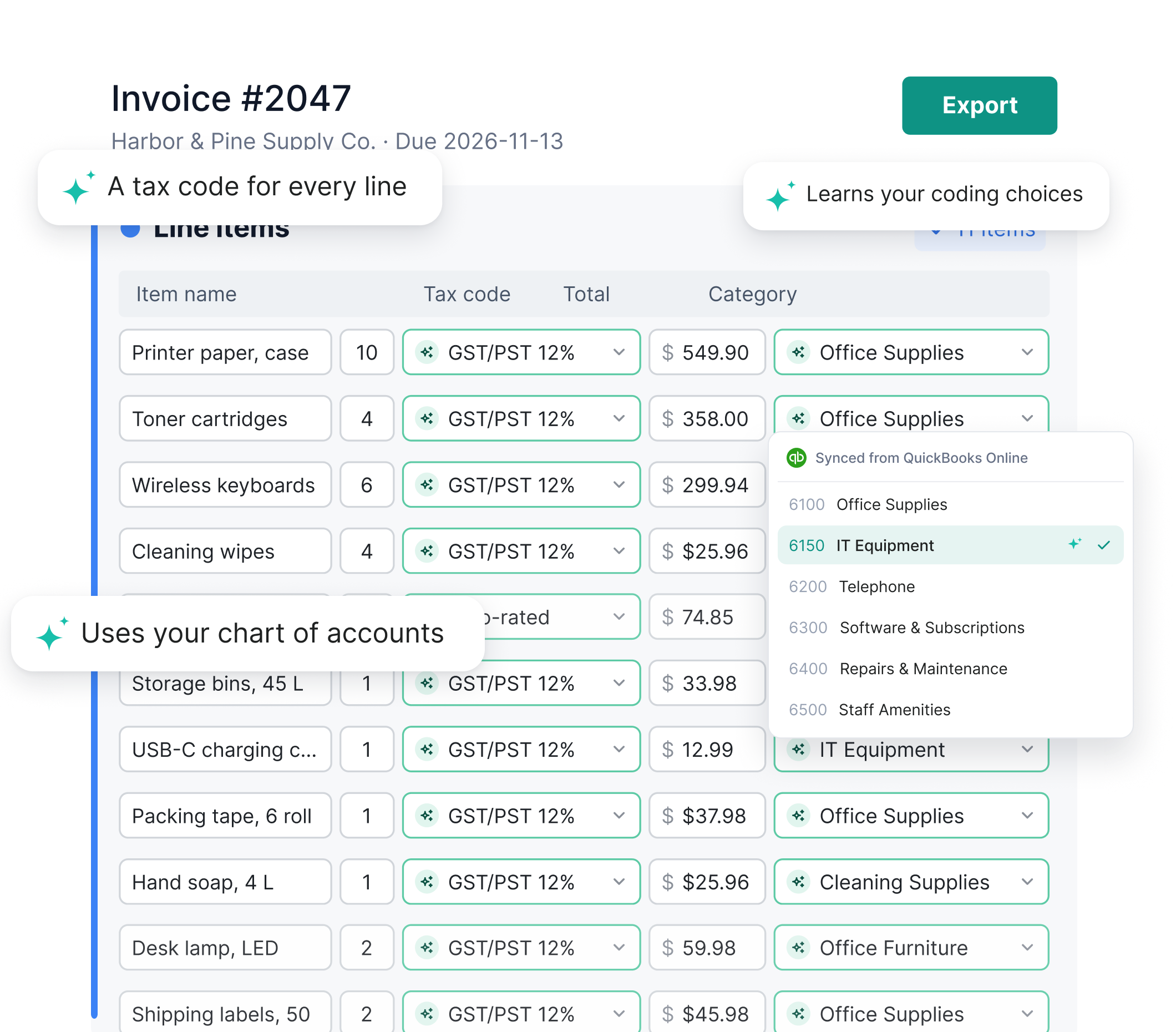
Categories that match your chart of accounts
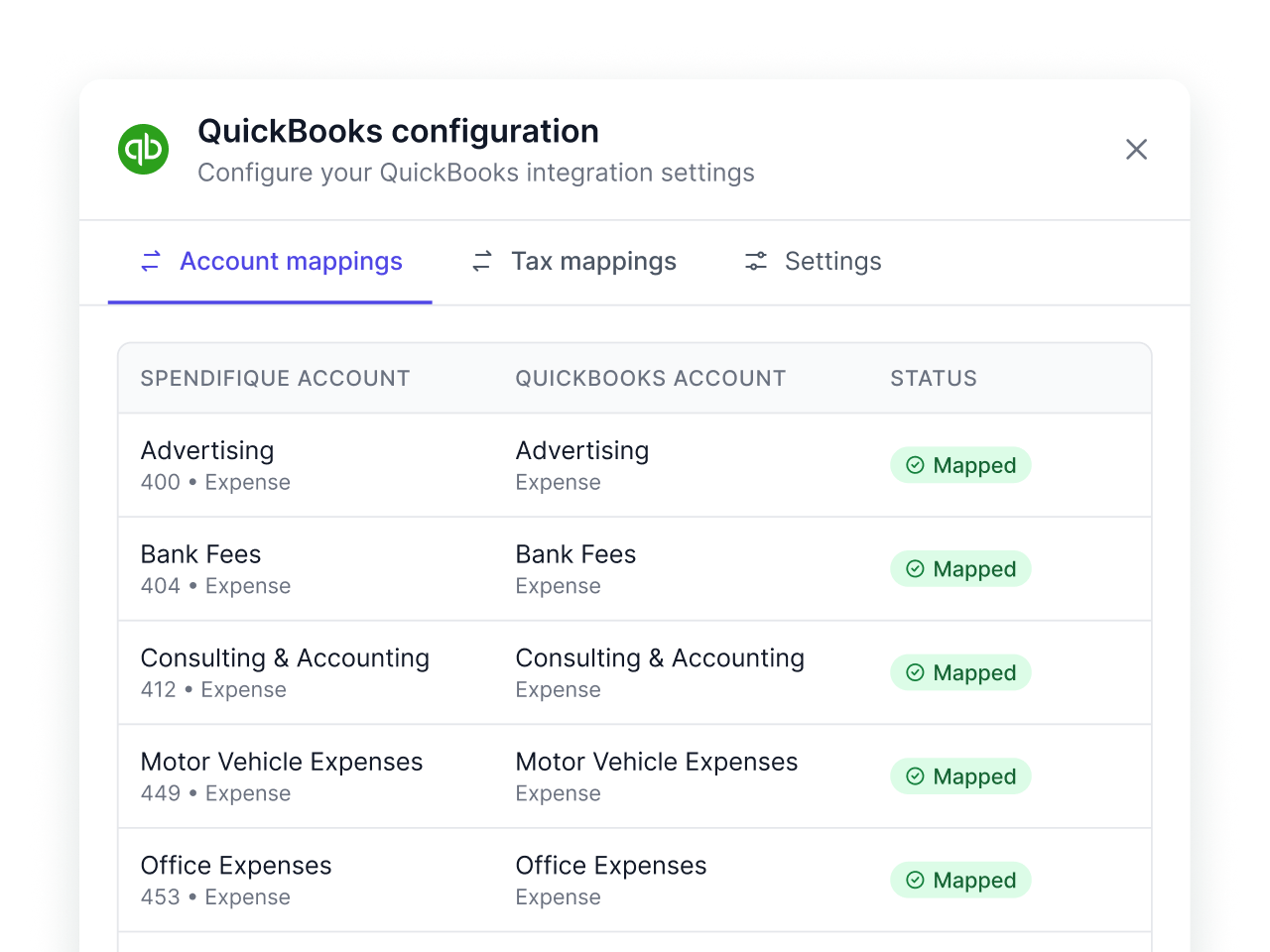
Spendifique suggests categories for individual line items using your chart of accounts from QuickBooks Online or Xero.
Recognize vendors
Considers who issued the invoice and how you've categorized their expenses before.
Categorize individual line items
Assigns different categories to items on the same invoice.
Use previous coding decisions
Suggests categories based on similar expenses you've processed before.
The right tax code for every line
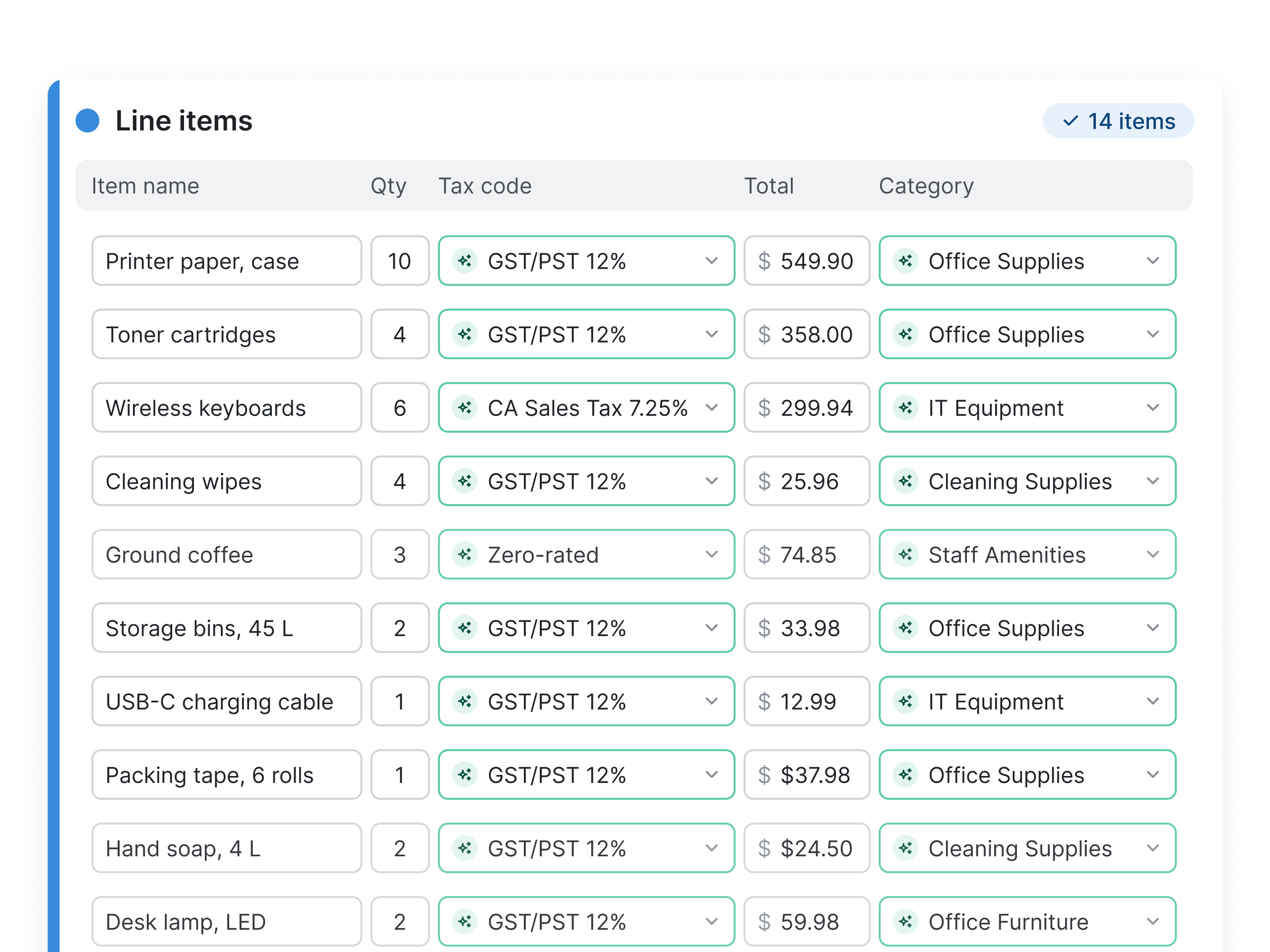
Spendifique reads the taxes on each invoice and suggests the appropriate tax code for individual line items.
Use your existing tax codes
Matches extracted taxes to the codes already set up in QuickBooks Online.
Handle mixed-tax invoices
Applies different codes to taxable, zero-rated, and exempt items on the same invoice.
Support different tax systems
Works with US sales tax, Canadian GST/HST/PST/QST, and European VAT.
A note for Xero users
Spendifique uses its own tax rate list rather than importing Xero's rates. Review tax codes against your Xero setup before filing.
Learn more about Xero integration →Correct it once. Spendifique remembers.
Change a suggested expense category, and Spendifique remembers your preference for future bills from the same vendor.

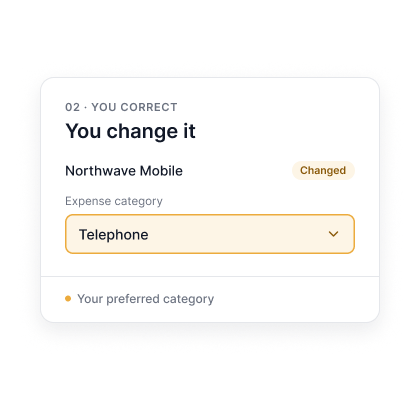
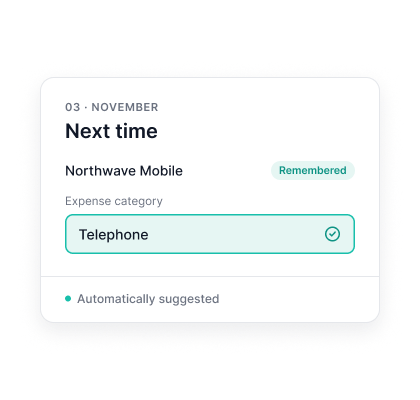
Personalized to each client. Coding preferences stay within the client's records, and you can still set vendor rules when you need consistent coding.
Every line item, extracted automatically
Spendifique reads individual line items on invoices and receipts, capturing descriptions, quantities, unit prices, and taxes. Even lengthy, multi-page invoices are processed without manual entry.
See how line item extraction works →Tested on real invoices
We benchmark our OCR on more than 1,000 real accounting invoices and re-run the test each time we improve the model. When it isn't confident about a field, it flags the document and tells you which field to check.
From invoice to organized data in four steps
Sync your accounts and tax codes.
Connect QuickBooks Online or Xero and Spendifique pulls in your chart of accounts and tax codes, so every line is coded to accounts you already use.
Add your documents your way.
Capture receipts on your phone, forward them by email, drag and drop files, or use Inbox Sync to collect invoices automatically.
AI line item extraction.
Spendifique reads each document and extracts individual descriptions, quantities, prices, and taxes.
Review and export.
Review the extracted data, make any necessary edits, and export to QuickBooks Online, Xero, or Google Sheets with the PDF attached.
More than expense categorization
From collecting receipts to matching transactions, Spendifique keeps your bookkeeping connected in one place.
Line item extraction
Every line on the invoice is pulled out, with its description, amount and tax.
Inbox Sync
Connect your email to automatically collect new invoices as they arrive.
Statement matching
Match receipts to bank and card statements and see what's still missing.
Accounting integration
Sync to QuickBooks Online or Xero with the PDF attached, or export to Google Sheets.
Built for bookkeepers and small businesses
Bookkeepers & firms

From $16.50 / client / mo.
Categorize expenses and assign tax codes across multiple clients without manual coding. Spendifique uses each client's chart of accounts and learns from corrections to keep their bookkeeping consistent.
Small businesses

From $8 / mo.
Spend less time categorizing expenses and figuring out tax codes. Spendifique automatically suggests the right categories for every purchase, learns your preferences, and keeps your books organized.
What our customers are saying
Real feedback from bookkeepers and small businesses using Spendifique every day.
Spendifique's QuickBooks Global connection, XCD support, and VAT handling did what we needed. I appreciated how quickly the team responded.

What made me switch was the lack of minimum client requirements. I didn’t want to pay for 10 clients when I only had 4 active ones. The multi-invoice PDF detection has also been surprisingly useful: it asks for confirmation and then automatically splits documents, which saves me a lot of manual effort. The extraction accuracy is better than what I’ve used in Xero and Hubdoc. Turnaround time is fast, and the suggestions are usually correct.

Having no limits on scans or line items is a big win. I don’t have to worry about usage caps when clients upload a large batch of invoices. The multi-line extraction works well, even on more detailed invoices with lots of items. I also appreciate that vendor recognition improves over time, it genuinely feels like the system learns and becomes more accurate the more I use it.
The pricing model is what made me switch. I only pay for the clients I actually have, so there’s no pressure to hit a minimum. The PDF splitting feature is also really useful: it detects when a file contains multiple invoices, prompts me for a quick check, and then separates them automatically. Extraction is fast and usually accurate, even compared with what I used in Xero and Hubdoc.
Spendifique has made receipt and invoice collection much easier for us. It is simple, fast, and feels more modern than a lot of older tools. There is still room to grow, but it already saves us time and reduces manual admin. The AI behind invoice and receipt recognition is also state of the art - we have not seen it make mistakes even for some of our complex documents.

I found Spendifique genuinely helpful and trusted the results. The bank statement reconciliation made it much easier to complete my expenses without manually checking every transaction.

A great app to scan receipts and integrate with QuickBooks. It helps speed up the bookkeeping process and save time.

Speed is what really stands out. I can upload an invoice and within seconds, it's categorized with the vendor and tax details already filled in. The centralized dashboard makes managing multiple clients much easier, especially when assigning work to team members.

The workflow is straightforward and doesn't try to do too much. Setting up new clients is fast, and the chart of accounts and vendor lists sync automatically. Clients find the interface easy to use too, which cuts down on back-and-forth.
Questions about expense categorization?
Automatic expense categorization uses software to assign or suggest categories for expenses without manual data entry. Spendifique suggests categories for individual invoice and receipt line items based on the vendor, item descriptions, your chart of accounts, and previous coding decisions.
Yes. Spendifique syncs your chart of accounts from QuickBooks Online or Xero to suggest categories that match your accounting setup. You can also categorize expenses without connecting accounting software and export your data to Google Sheets.
When you correct a suggested category, Spendifique remembers your choice and applies that preference to future expenses from the same vendor. Learning is specific to each client, so one client's coding preferences won't affect another's.
Yes. Spendifique uses the tax codes configured in your QuickBooks Online account to suggest the appropriate code for individual invoice and receipt line items. You can review and adjust these suggestions before publishing.
Yes. Spendifique supports tax coding for Xero workflows, but uses its own tax rate list rather than importing tax rates directly from Xero. Review the suggested codes against your Xero setup before filing.
Spendifique supports US sales tax, Canadian GST, HST, PST and QST, and European VAT. Tax codes are suggested at the individual line-item level, allowing different items on the same invoice to have different tax treatments.
You can review and edit suggested categories and tax codes before publishing an expense. Spendifique also learns from your category corrections to improve future suggestions for that client and vendor.
More questions?
Take manual coding off your to-do list
Let Spendifique suggest expense categories and tax codes, so you can spend less time on manual entry and more time getting your books done.
Get started