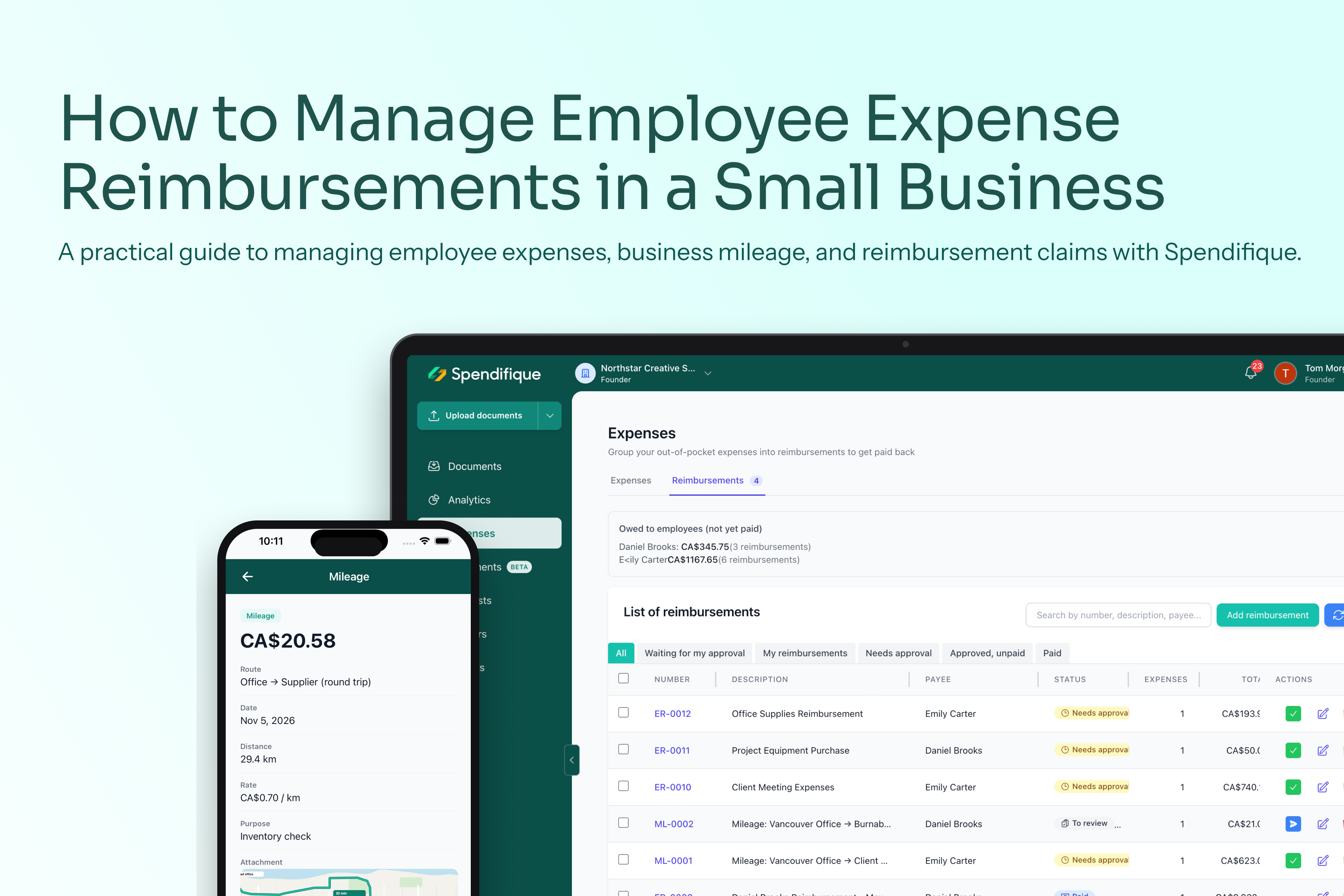
In a small business, reimbursements usually start informally. Someone drives to a client meeting, pays for parking, or grabs printer ink on their personal card, and they send a photo of the receipt to whoever handles the books.
That works for a while. Then the mileage log lives in one spreadsheet, the receipts are buried in email threads, and nobody is sure which claims have been approved or paid. By year end, someone is piecing it all together by hand.
A simple, consistent process fixes most of this. Here's how to set one up, whether you're the owner, an office manager, or the bookkeeper handling it for a client.
What counts as a reimbursable expense?
An employee expense reimbursement is money you pay back to an employee for a business cost they covered themselves. The most common ones in small businesses are:
- Mileage for driving a personal vehicle to client sites, job sites, the bank, or a supplier
- Parking and tolls during business trips
- Office supplies bought in a pinch
- Meals with clients or during business travel
- Travel costs like transit fares, taxis, or hotel stays
Commuting between home and a regular workplace generally doesn't count as business mileage. If you're unsure where the line sits for your business, your accountant can help you draw it before you write it into a policy.
How to manage employee expense reimbursements in 7 steps
1. Write a short reimbursement policy
Your policy doesn't need to be long. One page that answers these questions is enough for most small teams:
- What types of expenses will you reimburse, and what's off limits?
- Is there a spending limit per meal, trip, or month?
- What proof is needed? (A receipt photo, an invoice, a trip note)
- How soon after the expense should a claim be submitted?
- Who approves claims, and how quickly will employees be paid?
Share it with everyone who might spend money on the business's behalf. Most reimbursement disputes come from expectations nobody wrote down.
In Spendifique: set up the expense categories you reimburse so every claim lands in the right account from the start.
2. Set your mileage rate
Decide how much you'll pay per kilometre or mile driven. Many businesses use the government's published rate as a benchmark. In Canada, the CRA publishes reasonable per-kilometre allowance rates each year, and in the US, the IRS publishes a standard mileage rate. Both change, so check the current figures before you set yours.
The math itself is simple: distance × rate. If an employee drives 40 km to a client site and your rate is $0.70 per km, the reimbursement is $28.
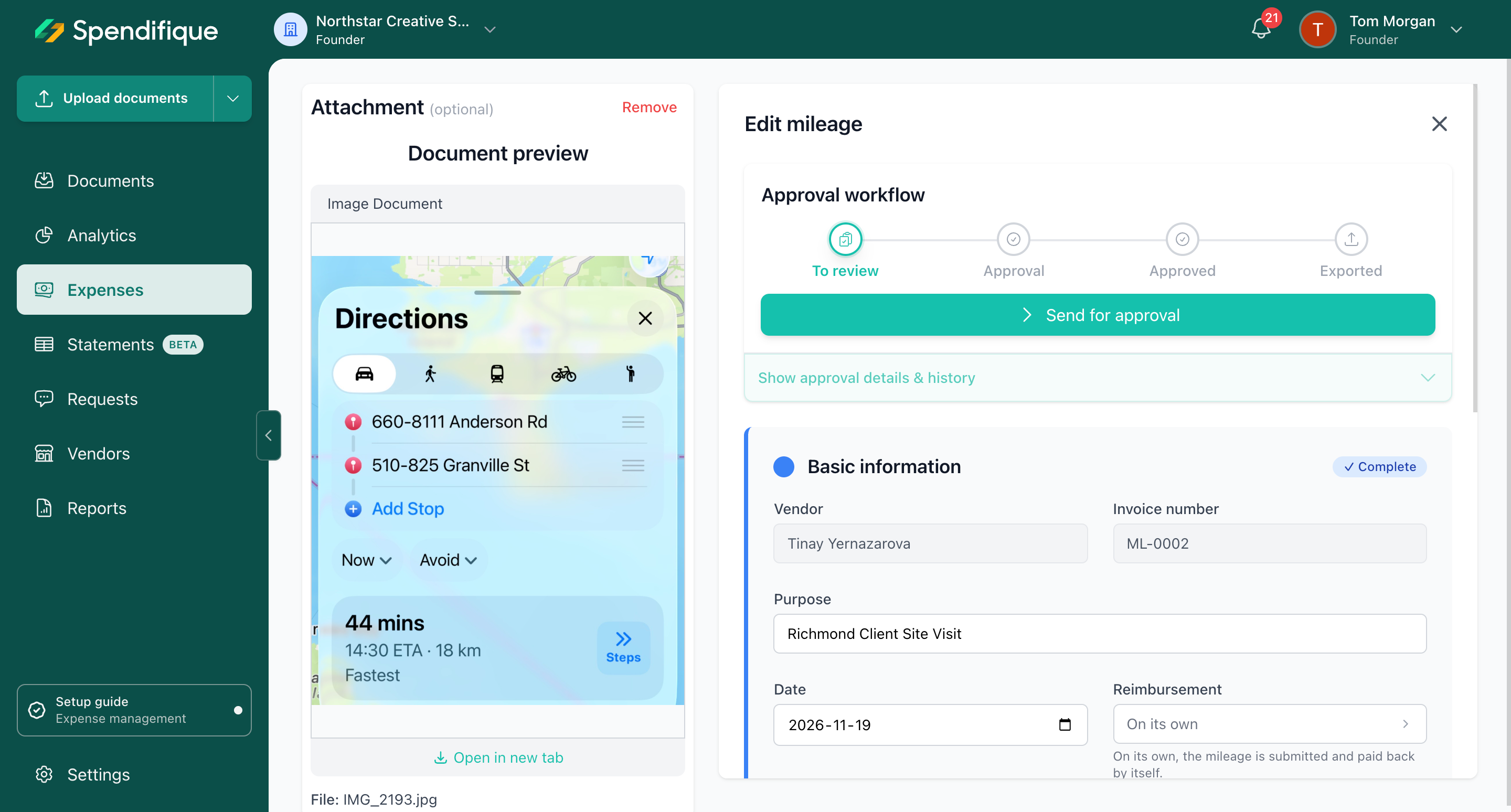
Ask employees to record the date, the purpose of the trip, where they started, where they went, and the distance. A screenshot of the route from a maps app is an easy way to back up the distance.
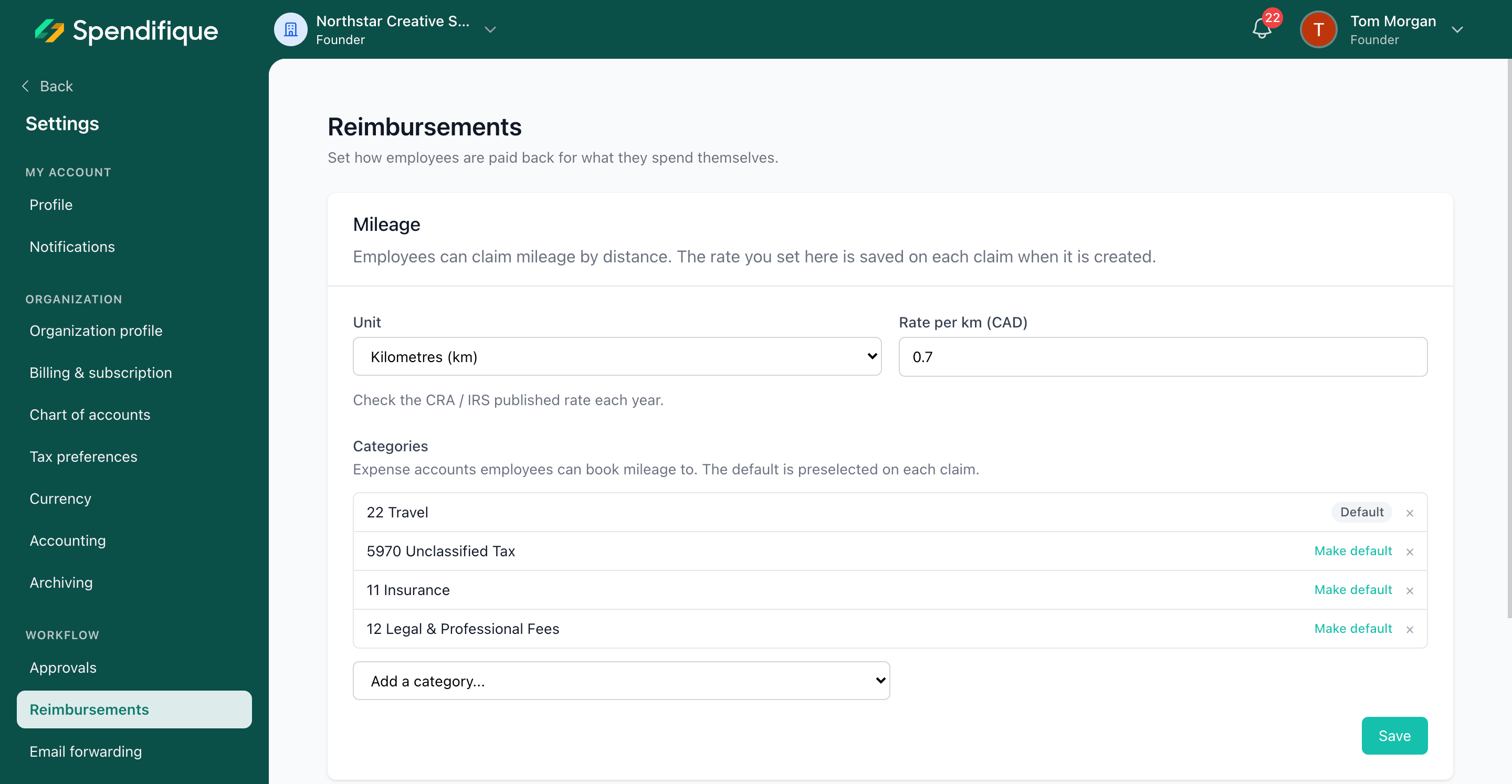
In Spendifique: set your own rate per kilometre or mile and a default account for mileage. Employees enter the trip details and distance, and mileage tracking calculates the amount for them.
3. Collect receipts the same way every time
Pick one place for claims to go and stick to it. If some receipts arrive by email, some by text, and some as paper in a desk drawer, things will go missing.
Ask for receipts as soon as the expense happens. A photo taken in the parking lot is far easier to track down than a faded receipt found a month later.
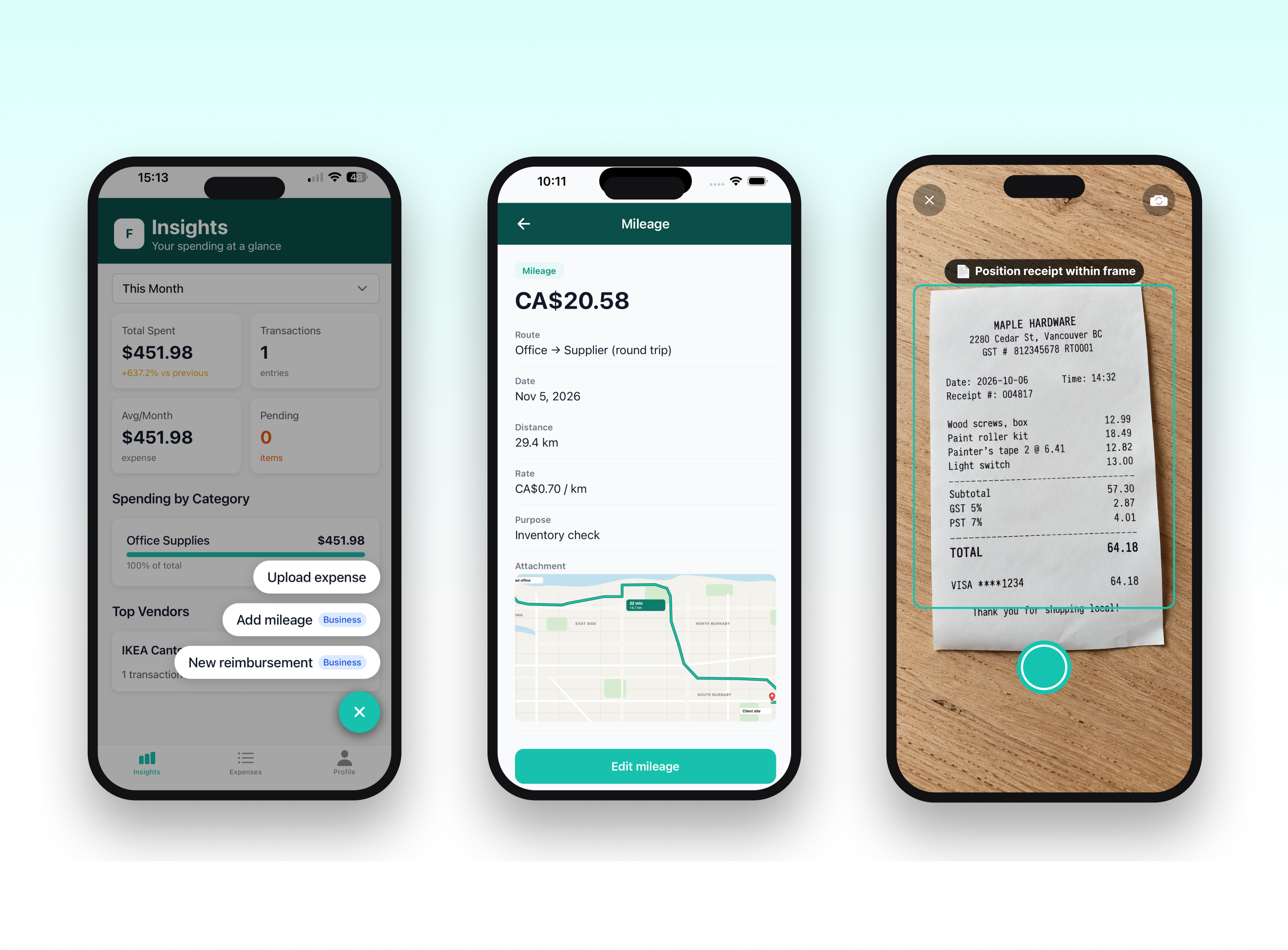
In Spendifique: employees can snap a receipt from the iPhone or Android app, or turn an expense they've already uploaded into a reimbursement. The receipt stays attached to the claim.
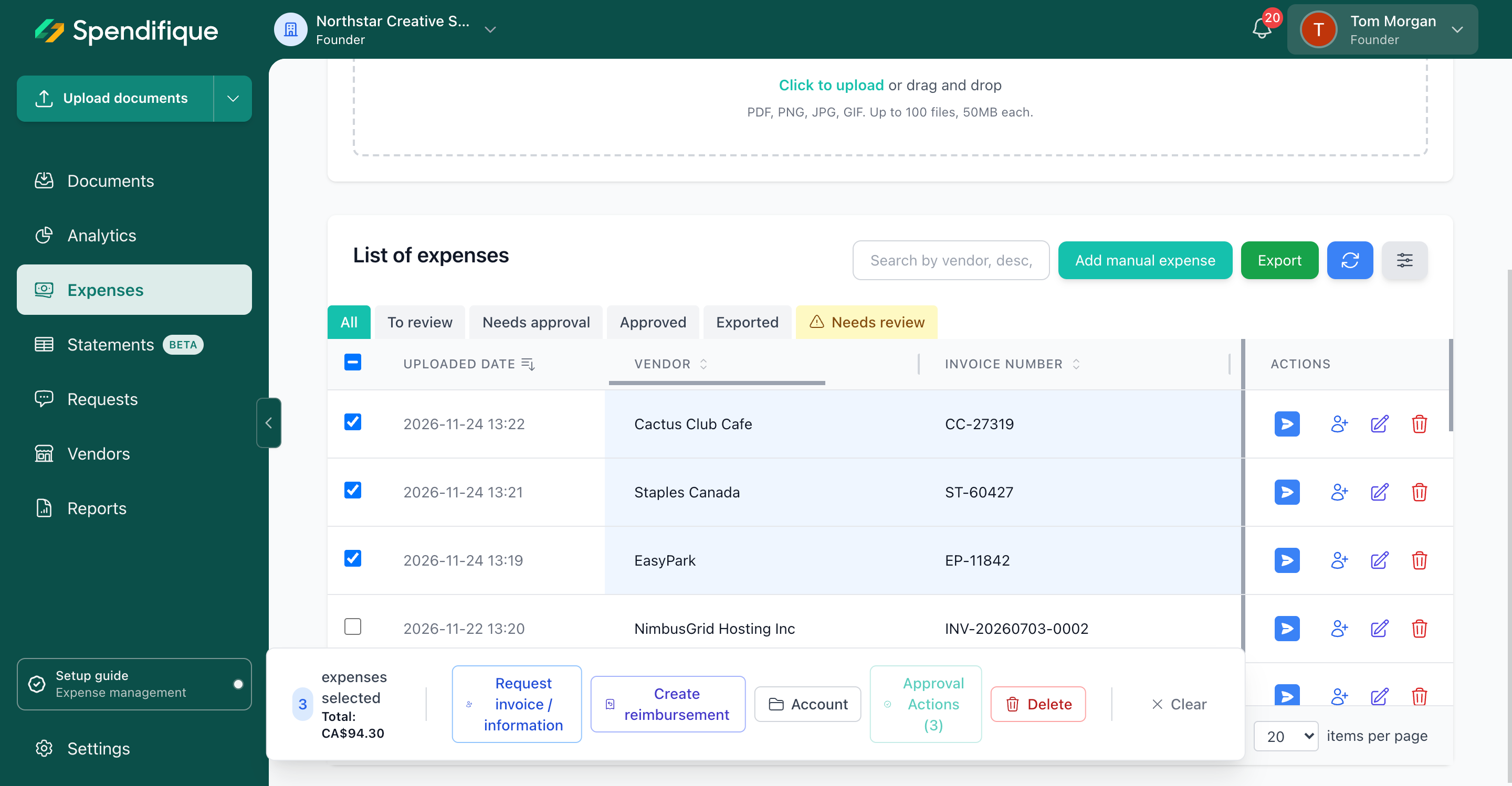
4. Group related costs into one claim
One business trip often creates more than one expense. An employee might drive to a client meeting and pay $15 for parking while they're there.
Submitting those as a single claim keeps the context together. The approver sees the whole trip at once, and there are fewer separate requests to review.
In Spendifique: combine a mileage trip and its related expenses into one claim, and the total is calculated together.
5. Review and approve claims
Decide who signs off. For a team of five, that might just be the owner. Larger teams often add a second step, such as a manager approving first and then the owner or bookkeeper.
When reviewing a claim, check that:
- The expense fits your policy
- A receipt or trip note is attached
- The amount matches the receipt, and mileage is calculated at the right rate
- It hasn't already been submitted or paid
In Spendifique: set up to three approval levels and assign approvers at each one. Approvers review the details and receipts on desktop, then approve or reject.
6. Pay the employee and record it in your books
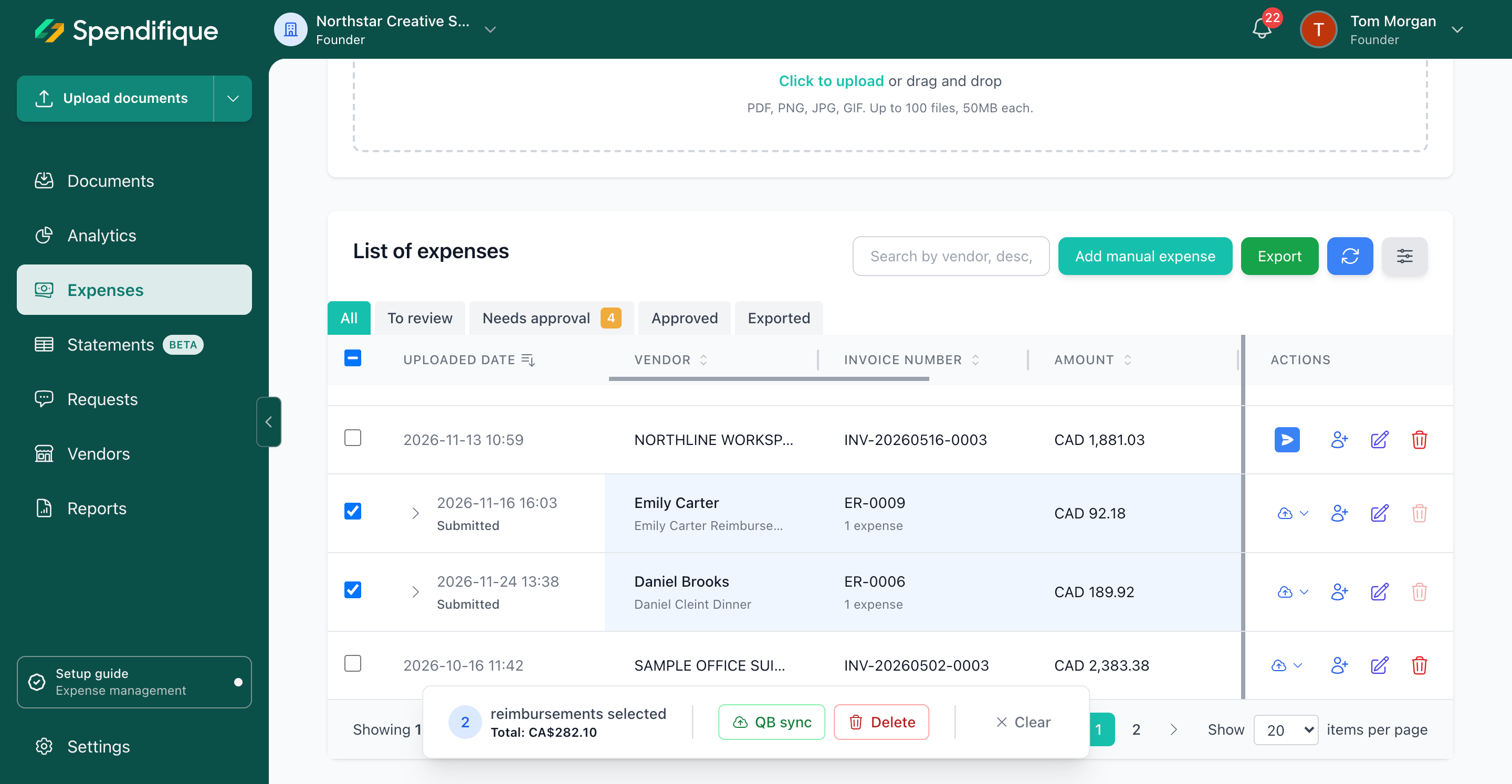
Once a claim is approved, pay it through your usual method, whether that's direct deposit, e-transfer, or a cheque. Then record it in your accounting software under the right expense account, with the receipt attached.
Track what's been paid and what's still outstanding. An approved claim that nobody pays is one of the quickest ways to frustrate an employee.
In Spendifique: once the employee has their money, mark the claim as paid. It can then be exported to QuickBooks Online or Xero with its documents.
7. Review your reimbursements regularly
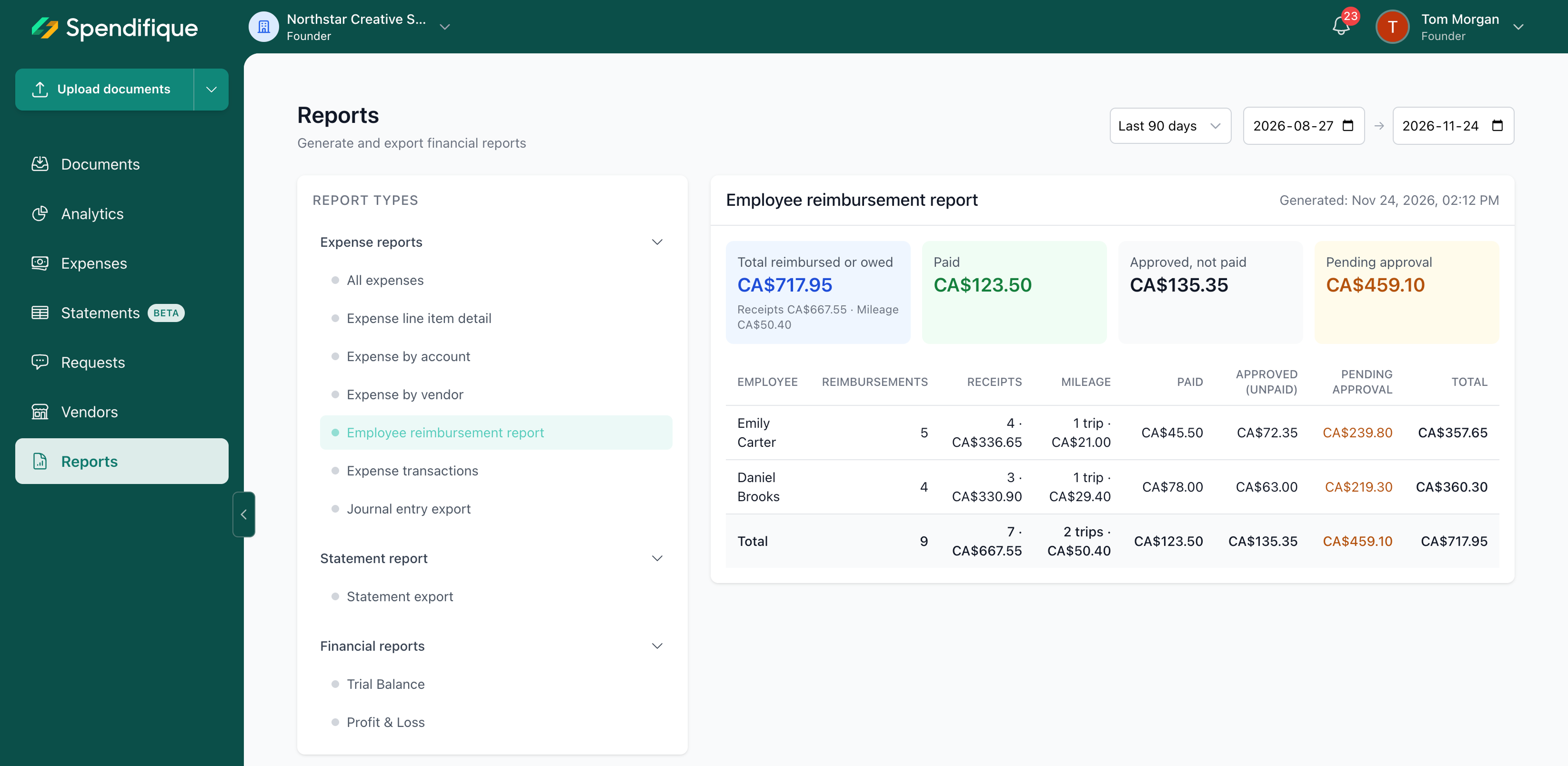
Once a month or once a quarter, look at the totals by employee and by category. This helps you spot unusual claims, see where money is going, and check whether your mileage rate or spending limits still make sense.
In Spendifique: run a report for any period to see mileage, expense claims, and totals by employee. Bookkeepers can do this per client, since each client's claims stay in their own account.
Common reimbursement mistakes to avoid
- Accepting claims without receipts. It feels harmless for small amounts, but it adds up and leaves gaps in your records.
- Letting claims pile up. Expenses submitted months later are harder to verify and can land in the wrong period.
- Keeping mileage logs separate from everything else. A spreadsheet nobody else can see makes trips hard to review and easy to lose.
- Paying without recording. If a reimbursement isn't in your books with its receipt, it's a headache at tax time.
- Never updating your rate. Government mileage rates change, and a rate set years ago may no longer cover what driving actually costs.
FAQ
What is the best way to manage employee expense reimbursements?
Establish a consistent process for collecting receipts, recording expenses, reviewing claims, and tracking payments. Businesses with frequent employee reimbursements can use reimbursement software to centralize these tasks and reduce manual work.
What should an employee reimbursement policy include?
At minimum: which expenses you'll pay back, any spending limits, what proof employees need to provide, how soon claims must be submitted, who approves them, and when employees can expect to be paid. Add your mileage rate if employees drive for work.
How quickly should a small business reimburse employees?
There's no single rule, but paying approved claims within one or two pay cycles is common. Whatever you choose, put it in your policy so employees know what to expect.
How long should we keep reimbursement records?
In Canada, the CRA generally expects businesses to keep records for six years from the end of the tax year they relate to. Other countries have their own rules, so check what applies to you.
Can employees submit one claim for several expenses?
Yes, and it's often better. Grouping a trip's mileage, parking, and meals into one claim gives approvers the full picture and cuts down on paperwork.
Can I manage employee expense reimbursements with Spendifique?
Yes. Spendifique allows businesses and bookkeepers to collect employee receipts, track business mileage, calculate mileage reimbursements automatically, and combine expenses into a single reimbursement claim. You can configure up to three levels of approval, track payment statuses, generate reimbursement reports, and export approved claims to QuickBooks Online or Xero.
Start with a simple process
You don't need a complicated system to handle reimbursements well. A clear policy, a set mileage rate, one place for claims, and a consistent approval step will cover most small businesses.
When you're ready to move it out of spreadsheets, Spendifique keeps mileage, reimbursements, and receipts together with the rest of your bookkeeping.