Disclosure: Spendifique is one of the tools reviewed here. We have aimed to compare each tool fairly and note where competitors are the stronger choice.
There are 5 ways to get invoices and receipts out of Gmail or Outlook: search and download them manually, forward them to a capture address, set up auto-forward rules, use an email parser, or use an automatic email extraction tool. Automatic extraction is the only method that collects invoices without any forwarding, and many of these tools can also recover older emails and receipts written in the email body.
At low volume, manual collection works. At dozens of invoices a month, or across several client files, checking inboxes becomes a recurring task that delays month-end close and leaves gaps in supporting documents.
5 ways to get invoices out of your email
1. Search and download them manually
No cost, and suitable for low volume. In Gmail, these search queries locate most invoices:
has:attachment filename:pdf (invoice OR receipt)finds PDF invoices and receiptssubject:(invoice OR receipt OR "order confirmation") after:2026/10/01finds one month of documentsfrom:amazon.com receiptfinds one vendor's receipts
In Outlook, type hasattachments:yes invoice in the search bar.
Limitations: the process repeats every period, each file must be renamed and saved, and receipts sent as email text with no attachment are easy to miss.
2. Forward them to a capture address
Most receipt and accounting tools give you a unique email address. Invoices forwarded to it are processed automatically. Dext, Hubdoc, QuickBooks, Xero, Expensify and AutoEntry all work this way.
Limitations: every email still has to be forwarded. When clients are responsible for forwarding, documents often arrive late or not at all.
3. Set up auto-forward rules
Gmail and Outlook can forward emails from known vendors to that capture address automatically. Dext's help guide covers setup for most providers.
Limitations:
- Gmail verification. Google sends a confirmation code to the forwarding address before it allows forwarding. When that address belongs to an app like QuickBooks, there's no inbox to read the code, and users report being unable to complete setup (QuickBooks community thread).
- New vendors are missed until you add a rule for them.
- Receipts in the email body may not be captured. For example, Xero users have noted that forwarding to Xero Documents doesn't capture receipts inside the email body.
- No historical coverage. Rules only work going forward.
4. Use an email parser with Zapier
Tools like Parseur and Mailparser give you an inbox to forward emails to, pull out fields like vendor, amount and due date, and pass them to Xero, QuickBooks or a spreadsheet through Zapier.
Suitable when specific fields need to reach a specific system. Limitations: emails must still be forwarded, and the Zapier workflow needs ongoing maintenance.
5. Use an automatic email extraction tool
Automatic email extraction tools connect directly to Gmail or Outlook using secure authorization (OAuth), identify invoices and receipts, and automatically collect new financial documents as they arrive. Many can also search through months or years of email history to recover previously missed documents.
Unlike forwarding-based methods, this approach eliminates the need to manually forward emails or maintain forwarding rules. However, it requires granting a third-party application access to your inbox, so it's important to review its permissions and data privacy policy.
Want to see how automatic email extraction works? Explore Spendifique's Inbox Sync for Gmail and Outlook.
How the methods compare
The best email invoice and receipt extraction tools
The tools below connect directly to Gmail or Outlook, so no forwarding is required. Each is listed with the use case it suits best.
Side-by-side comparison
Prices are billed annually, except Receiptor AI and BillyBox, which list monthly prices. BillyBox prices are in EUR only.
Spendifique: best for bookkeepers and accounting automation
Spendifique is a bookkeeping automation platform for small businesses and bookkeepers. Its Inbox Sync feature connects directly to Gmail and Outlook to automatically collect invoices and receipts, recover historical documents, and prepare extracted financial data for accounting.
Unlike standalone email extraction tools, Spendifique also supports AI line-item extraction, account and tax categorization, bank statement matching, and multi-client management.
Key features
- Inboxes: up to 3 Gmail or Outlook inboxes per account on Business, up to 3 per client on Bookkeeper, and 1 on Basic and Starter
- Email history: a one-time 90-day scan on Basic and Starter, 24 months on Business and Bookkeeper
- New email checks: daily on Business and Bookkeeper. You can opt out of daily scanning if you prefer
- Captures: PDF attachments and receipts in the email body, including order confirmations sent without a PDF
- Data extracted: header details and every line item on paid plans
- Accounting sync: Xero and QuickBooks Online
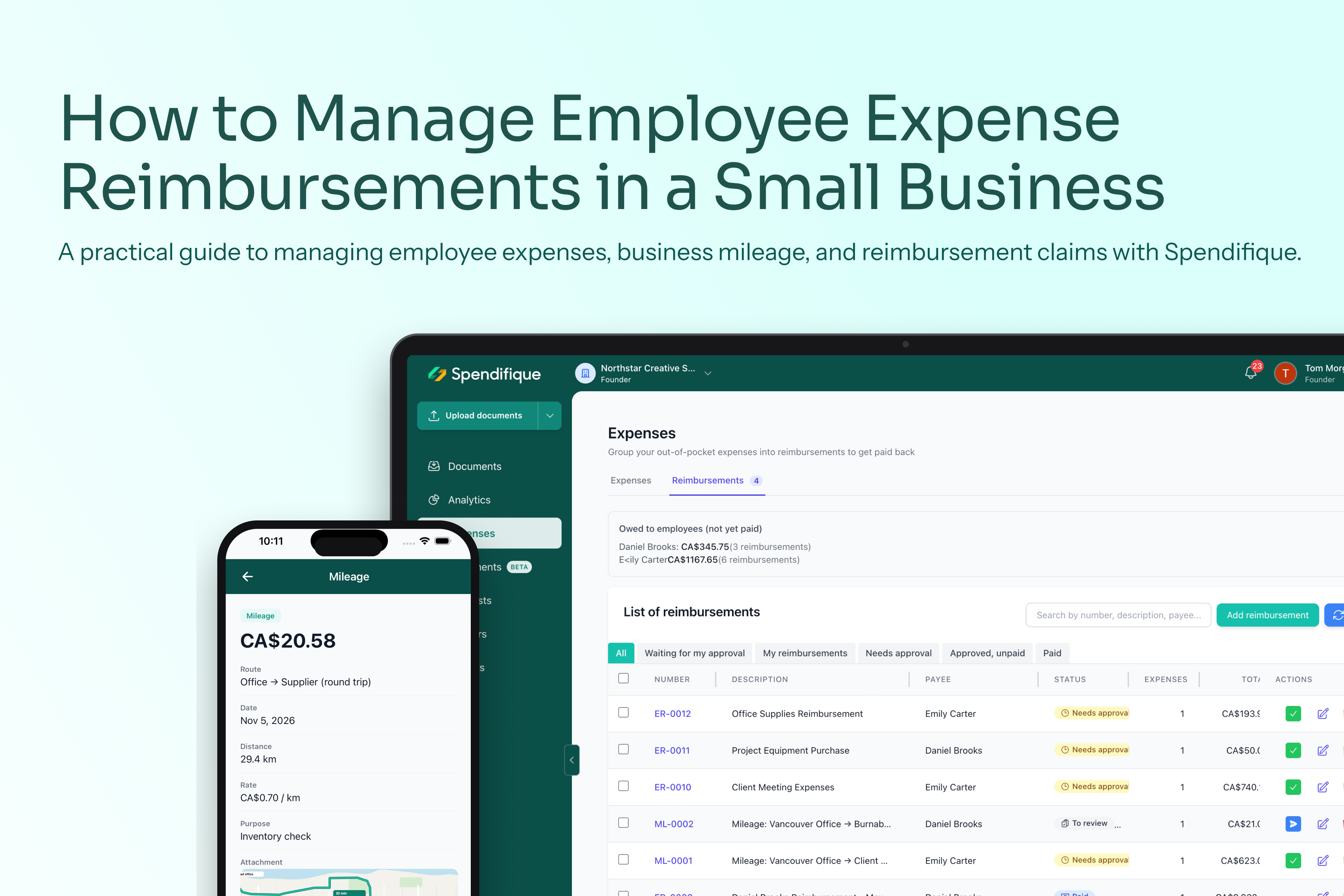
- Other features: a firm dashboard, bank statement matching, duplicate flagging, document requests, mileage and reimbursement tracking, multi-currency support, multi-invoice PDF splitting, and a dedicated forwarding address for documents received outside the connected inbox
Pricing (small business plans, Bookkeeper plans)
- Basic: free, with 30 document scans, 1 connected inbox and a one-time 90-day inbox scan showing up to 15 receipts
- Starter: $8/month billed annually, with unlimited document scanning, 1 connected inbox and the same one-time 90-day inbox scan as Basic
- Business: $22/month billed annually, with unlimited scans, up to 3 connected inboxes, 2 years of email history and automatic daily inbox scanning
- Bookkeeper: from $16.50 per client/month billed annually, with unlimited scans, up to 3 connected inboxes per client, 2 years of email history, daily inbox scanning and a dedicated firm dashboard. Per-client pricing decreases as your practice grows.
Limitations
- Gmail and Outlook only
- No single view across all clients' inboxes, so you review client by client
- 2 years of history and daily scans require the Business or Bookkeeper plan
WellyBox: best for collecting receipts across multiple inboxes
WellyBox connects to Gmail, Outlook or iCloud with read-only access.
WellyBox is a receipt management tool for small businesses. It finds receipts in your email, extracts the key data and organizes everything in one dashboard. From there you can export receipts to Excel, Google Drive or Dropbox, email them to your accountant, or sync them to QuickBooks or Xero. Its website doesn't mention bank statement matching or say what type of transaction it creates in your accounting software.
Key features
- Inboxes: 1 on Basic, 4 on Business, 6 on Pro
- Email history: 12 months on Basic, 24 months on Business and Pro
- New email checks: every 24 to 48 hours, with an option to start a scan manually
- Captures: receipts in connected inboxes. Its website doesn't state whether it reads receipts in the email body.
- Data extracted: key receipt details. Line items aren't mentioned on its website.
- Accounting sync: Xero and QuickBooks, on the Business plan or higher
- Other features: a client dashboard on the annual Pro plan, paper receipts via WhatsApp, expense reports, mileage tracking and multi-currency support
Pricing (WellyBox pricing page)
- Free trial available
- Basic: $19/month billed annually, 50 documents/month, 1 connected inbox and 12 months of email history
- Business: $49/month billed annually, 150 documents/month, 4 connected inboxes and 24 months of email history
- Pro: $99/month billed annually, 250 documents/month, 6 connected inboxes, 24 months of email history and a client dashboard
- Enterprise: custom pricing and usage allowances
Limitations
- Monthly document limits apply across standard plans, and may limit how much email history is processed. The Basic plan's 50 documents a month may not cover a full 12 months of receipts, so confirm how historical receipts are counted before relying on it to recover a full year.
- Direct accounting integrations require the Business plan or higher
- The client dashboard is only available on the annual Pro plan
- Line-item extraction isn't mentioned on its website
Tailride: best for collecting invoices from email and supplier portals
Tailride scans Gmail, Outlook, Yahoo and any IMAP inbox.
Tailride is an invoice automation tool for businesses, finance teams, accountants and bookkeepers. It collects invoices from email, supplier portals and uploads, extracts and codes each line item, and exports them to your accounting software. In QuickBooks Online it creates bills or expenses, and in Xero it creates bills, with the original document attached. Invoices with uncoded lines stay in Tailride for review.
Key features
- Inboxes: 2 on Starter, 8 on Growth, 20 on Scale, unlimited on Premium
- Email history: bulk scanning of older emails
- New email checks: every hour
- Captures: PDFs, images and the email body, plus invoices from supplier portals
- Data extracted: header fields and line items, with automatic account coding
- Accounting sync: direct integrations, including Xero and QuickBooks
- Other features: an accounting firm plan with a multi-client dashboard, bank statement reconciliation, and document capture from WhatsApp and Telegram
Pricing (Tailride pricing page)
- Free plan: up to 10 invoices a month, with no time limit. Each paid plan also has a free trial
- Starter: $13/month billed annually, 900 invoices a year, 2 connected inboxes
- Growth: $34/month billed annually, 4,200 invoices a year, 8 connected inboxes
- Scale: $69/month billed annually ($825/year), 9,000 invoices a year, 20 connected inboxes
- Premium: $138/month billed annually, 18,000 invoices a year, unlimited inboxes
- Enterprise: custom pricing. A separate plan for accountants managing multiple clients is also available.
Limitations
- Pricing depends on annual invoice volume and the number of connected inboxes, so check which tier fits before committing
- Historical scans use the plan's invoice allowance, so a large backfill may need a higher tier or one-time credit bundles, which Tailride sells separately
- The free plan is limited to 10 invoices a month, and its pricing cards don't list it (it's mentioned in the pricing FAQ)
Gennai: best free plan for automatic invoice collection
Gennai connects to Gmail, Outlook, iCloud, Yahoo, Zoho or any IMAP inbox, including shared mailboxes.
Gennai is an invoice capture tool for businesses, accountants and bookkeepers. It finds invoices in your inbox, extracts the data and suggests an expense category based on your accounting history. In Xero, each invoice arrives as a draft bill with the original PDF attached, so nothing is posted until you approve it. It also matches invoices to bank statements.
Key features
- Inboxes: 2 on the free plan, up to 50 on paid plans, including shared mailboxes
- Email history: any selected date range. Annual plans provide the full year's invoice allowance up front, which helps with historical scans.
- New email checks: every hour
- Captures: PDF attachments and invoices in the email body
- Data extracted: supplier details, tax IDs, invoice numbers, dates, currencies, totals and line items
- Accounting sync: QuickBooks Online and Xero
- Other features: bank statement matching, multi-currency support, and support for multiple Xero organizations
Pricing (Gennai pricing page)
- Free: 10 invoices/month and 2 connected inboxes
- Starter: $9/month billed annually, 900 invoices/year and 5 connected inboxes
- Growth: $24/month billed annually, 3,000 invoices/year and 15 connected inboxes
- Business: $66/month billed annually, 9,000 invoices/year and 50 connected inboxes
Limitations
- Invoices collected through historical scanning count toward the plan's processing allowance
- Additional invoice credits may be required once the allowance is used up
SparkReceipt: best for email receipt collection and expense tracking
SparkReceipt connects to Gmail, Outlook and any IMAP account.
SparkReceipt is a receipt scanner and expense tracker for small businesses and self-employed people. It captures receipts from your phone, email and bank statements, categorizes them, and matches bank transactions to receipts. You can then generate expense reports or publish expenses to QuickBooks Online or Xero with the receipt image attached. It also includes mileage tracking.
Key features
- Inboxes: 1 on Pro, multiple on Elite
- Email history: any start date, with the first 10,000 historical emails included
- New email checks: automatic, interval not stated
- Captures: receipts in the email body and in PDF or image attachments
- Data extracted: receipt-level details on Pro, every line item on Elite
- Accounting sync: Xero and QuickBooks, plus other apps through Zapier
- Other features: bank statement extraction and receipt matching, mileage tracking, expense reports, support for 190 currencies, and free accountant access
Pricing (SparkReceipt pricing page)
- 7-day free trial
- Pro: $5.75/month billed annually, 50 documents/month, 1 connected inbox
- Elite: $10.75/month billed annually, unlimited documents (fair use), multiple inboxes
- Both plans include 1 user. Each extra user adds $1/month (billed $12 a year), and your accountant joins free.
Limitations
- The Pro plan supports one connected inbox and 50 documents a month, shared across the team. Receipts recovered from old emails count toward that cap, so a large backfill on Pro may not process in one month.
- The first 10,000 historical emails per account are scanned free on both plans. Larger inboxes need extra credits, and the cost is shown before a scan runs.
Receiptor AI: best for extensive historical email extraction
Receiptor AI connects to any email provider and monitors every connected inbox continuously.
Receiptor AI is an AI bookkeeping assistant for businesses, accountants and bookkeepers. It finds receipts and invoices in your email and WhatsApp, extracts and categorizes them, and publishes them to your accounting software. In QuickBooks Online, receipts become expenses and invoices become bills. In Xero, both become bills. Your bank feed can then match each one to its bank transaction.
Key features
- Inboxes: unlimited on every plan
- Email history: a separate one-time scan with no fixed lookback period
- New email checks: real-time for Gmail and Outlook, hourly for IMAP
- Captures: PDF and image attachments and receipts in the email body
- Data extracted: line items
- Accounting sync: Xero, QuickBooks and Mercury, plus cloud storage
- Other features: duplicate prevention, multi-currency handling, workspaces on the Growth plan and above, WhatsApp and iMessage capture, and API, MCP and CLI access on Growth
Pricing (Receiptor AI pricing page)
- Free trial
- Starter: $29/month, 500 items checked and 50 documents captured per month, 1 accounting connection
- Growth: $79/month, 2,500 items checked and 250 documents captured per month, 2 accounting connections, workspaces
- Scale: $199/month, 10,000 items checked and 1,000 documents captured per month, 5 accounting connections
- Overage: $0.03 per extra item checked, $0.10 to $0.25 per extra document depending on the plan, and $12/month per extra accounting connection
- Historical extraction: a one-time scan from $0.012 to $0.025 per email, with the lowest rate for volumes above 50,000 emails
Limitations
- Two monthly limits apply. Items checked counts every email, WhatsApp message or uploaded file Receiptor evaluates, including ones that aren't receipts. Documents captured counts the receipts and invoices it extracts and categorizes. A busy inbox can use up items checked before documents captured.
- Each plan includes a set number of accounting connections (1 on Starter). Each extra connection costs $12/month.
- Subscriptions cover new emails from sign-up onward. Scanning older emails is a separate one-time purchase, priced per email scanned. It can be bought without a subscription, so extraction appears to be included in that price. Receiptor doesn't say whether those documents also count toward a subscription's monthly allowance.
- The highest entry price among the tools listed here
BillyBox: best for sorting business and personal invoices
BillyBox connects to Gmail, Outlook (including Hotmail and Live), Zoho Mail, or any IMAP inbox with app-password support, such as Yahoo, ProtonMail Bridge and custom domains.
BillyBox is built to fetch invoices and prepare them for your accountant. It doesn't create expenses or bills, and nothing is posted to accounting software.
Key features
- Inboxes: 2 on Free and Starter, 10 on Pro
- Email history: 2 months on Free, every month from sign-up plus 6 earlier months on Starter, full history on Pro
- New email checks: once each evening
- Captures: attachments and invoices written in the email text
- Data extracted: vendor, amount, currency, date, due date and VAT. Line items aren't supported.
- Accounting sync: none. It doesn't create expenses, and exports a ZIP and CSV summary instead.
- Other features: sorts each invoice as business, personal or ignored, removes duplicates, splits multi-invoice PDFs, reads Word and Excel invoices, handles any currency, captures paper receipts by phone camera or Telegram, and creates an organized export for your accountant
Pricing, EUR only (BillyBox pricing page)
- Free plan: 2 inboxes and a one-time allowance of 2 months of email
- Starter: €9.99/month, unlimited invoices, 2 inboxes, every month from sign-up plus 6 earlier months
- Pro: €19.99/month, unlimited invoices, 10 inboxes, full email history
Limitations
- Checks for new invoices once each evening
- No direct Xero or QuickBooks integration, so files are imported into accounting software manually
- Extracts header details only. Line items aren't supported.
How to choose
1. Email provider compatibility
Start by checking whether the software supports your email provider and how many inboxes you can connect. All seven tools in this comparison support Gmail and Outlook, but only some support iCloud, Yahoo, Zoho and other IMAP accounts.
If your business receives invoices at several email addresses, check whether multiple inbox connections are included in your subscription or require an upgrade.
2. Historical email scanning
If you're preparing for tax season, catching up on bookkeeping or onboarding a new client, recovering older receipts and invoices matters most.
Some tools include historical scanning in their subscription, while others charge separately based on the number of emails scanned. Look beyond the advertised history period: a tool may offer years of historical scanning but still limit how many documents your plan can process.
3. Automatic collection of new documents
Historical scanning recovers missing documents, while ongoing email monitoring stops new backlogs from building up.
Compare how often each tool checks for new invoices, and whether automatic scanning is included in its free or entry-level plan. Also check whether it captures receipts written in the email body, rather than only downloading PDF attachments.
4. Document processing and pricing limits
The monthly price is only part of the cost. Most tools also cap how much they process, and each counts it differently:
- Documents processed: the number of receipts and invoices extracted each month, for example 50 on SparkReceipt Pro or WellyBox Basic.
- Emails checked: some tools also count every email they look at, including ones that aren't receipts, such as Receiptor AI's "items checked."
- Connected inboxes: entry plans often allow only one or two inboxes.
- Historical scans: recovering older emails may use up your monthly allowance, require extra credits, or be sold as a separate one-time scan.
- Monthly or annual allowances: some annual plans give you the full year's allowance up front, which helps when clearing a large backlog.
Before choosing, estimate how many receipts you receive each month and how many are already sitting in your inbox. A cheap plan with a low document cap can end up costing more than a higher tier once you add credits or upgrades to clear a year of backlog.
5. Accounting integrations and automation
Consider what you need to do with invoices and receipts once they are collected.
If you only need to download documents and share them with your accountant, PDF and CSV exports may be enough. To reduce manual bookkeeping, look for:
- AI extraction of financial data and line items
- Account and tax code suggestions
- Duplicate detection
- Bank statement matching
- Direct QuickBooks Online or Xero integrations
A tool that connects document collection with accounting automation reduces manual work across the whole bookkeeping process.
6. Multi-client management
For bookkeepers and accounting firms, managing multiple inboxes is not the same as managing multiple clients.
Look for software that keeps each client's financial documents separate, gives you central access to client accounts, and lets staff review and process documents without switching between logins.
Spendifique, for example, lets bookkeepers connect an inbox within each client's profile, review automatically collected documents, and prepare them for accounting from the same platform.
The right tool should fit your existing workflow, reduce recurring manual tasks, and grow with your business or practice.
FAQ
What is the best tool to extract invoices and receipts from Gmail and Outlook?
The best tool depends on your workflow. Spendifique combines email extraction with bookkeeping automation, Gennai offers free ongoing invoice collection, SparkReceipt combines email scanning with expense tracking, and Receiptor AI supports extensive historical email extraction.
Can I automatically extract invoices from email for free?
Yes, with limits. Gennai's and Tailride's free plans each collect up to 10 invoices per month on an ongoing basis. Spendifique's free plan runs a one-time scan of the past 90 days with up to 15 receipts visible, and BillyBox's free plan runs a one-time scan of the past 2 months. SparkReceipt, WellyBox and Receiptor AI offer free trials instead of free plans.
Can email extraction software recover receipts from previous years?
Yes. Some email extraction tools can search through months or years of email history. Historical coverage depends on the provider and subscription, and additional processing fees or document allowances may apply.
Can Gmail extract invoices automatically on its own?
No. Gmail can filter and label invoice emails, and forward them with a rule, but it doesn't extract the invoice data or save files anywhere. For that you need a capture tool or an automatic email extraction tool.
Do Xero and QuickBooks capture invoices from email?
Not by scanning your inbox. Both give you an email address to forward documents to. Hubdoc, included with Xero business plans, works the same way.
Is it secure to connect an inbox to a third-party tool?
Look for tools that connect through Google or Microsoft sign-in (OAuth) instead of asking for your password, and that only read your email. Access can be revoked at any time from Google or Microsoft account settings.
How far back can these tools search?
It depends on the tool and plan. Spendifique goes back 24 months on Business and Bookkeeper plans, WellyBox up to 24 months, and Gennai, SparkReceipt and Receiptor AI let you choose any start date. Automatic forwarding rules only apply to new emails. Older emails can still be forwarded manually, one at a time.
What about receipts in the email body, with no PDF?
Many order confirmations and subscription receipts are sent as email text only. Manual search and some automatic email extraction tools, including Spendifique, catch these. Forwarding to some capture addresses can miss them.
Spend less time searching your inbox
Choosing the right email extraction tool comes down to more than how far back it can scan. Document allowances, ongoing automation, accounting integrations and the ability to manage multiple clients all affect how much manual work you can eliminate.
For businesses and bookkeepers looking to automate the entire process, Spendifique combines historical email scanning and automatic document collection with AI data extraction, bank statement matching and accounting integrations.