
Get missing documents, without the chasing
Request missing receipts, invoices, and expense details from anyone. Recipients can respond and upload files without a Spendifique account, while you keep all requests, answers, and attachments organized in one place.
Get started free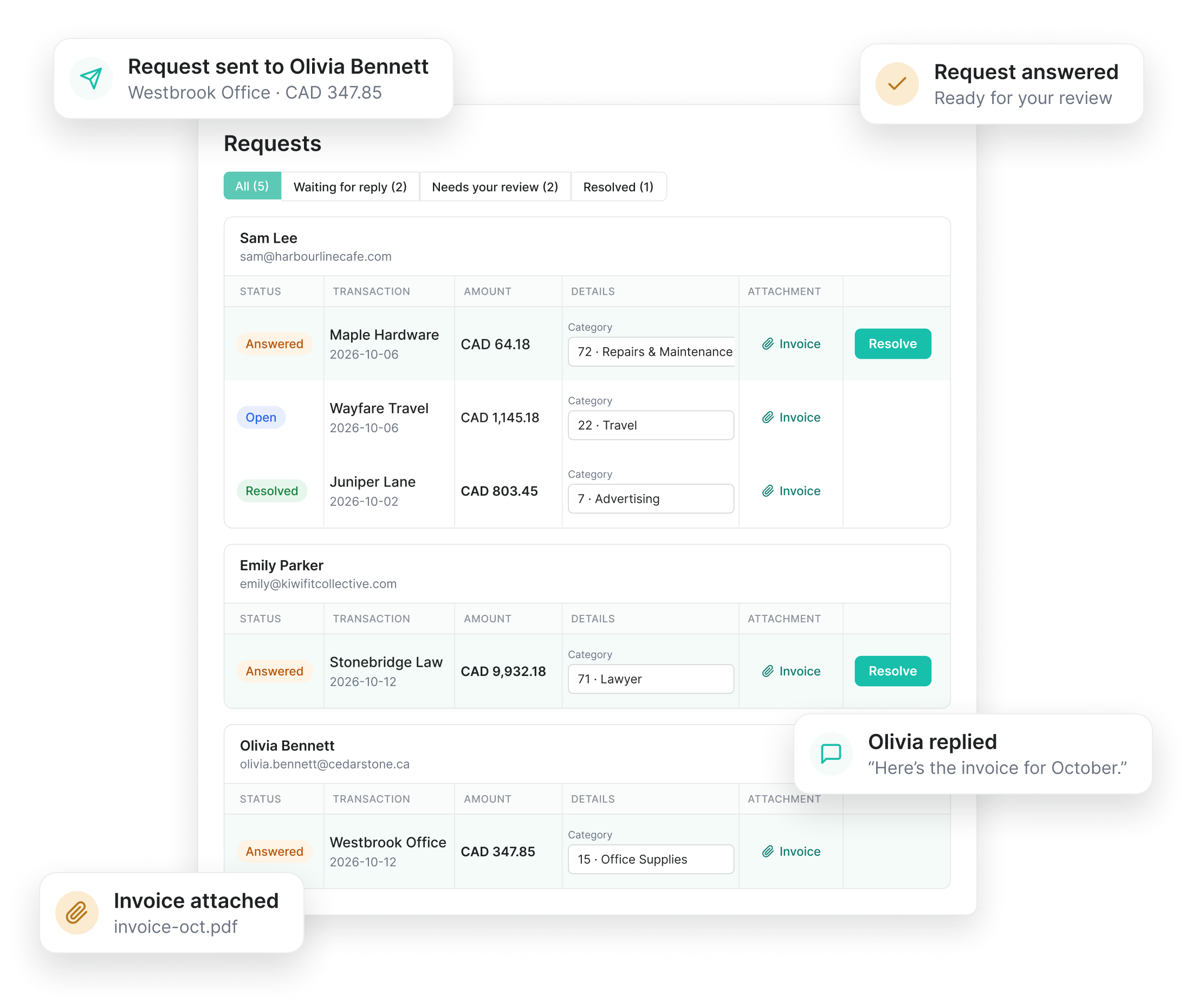
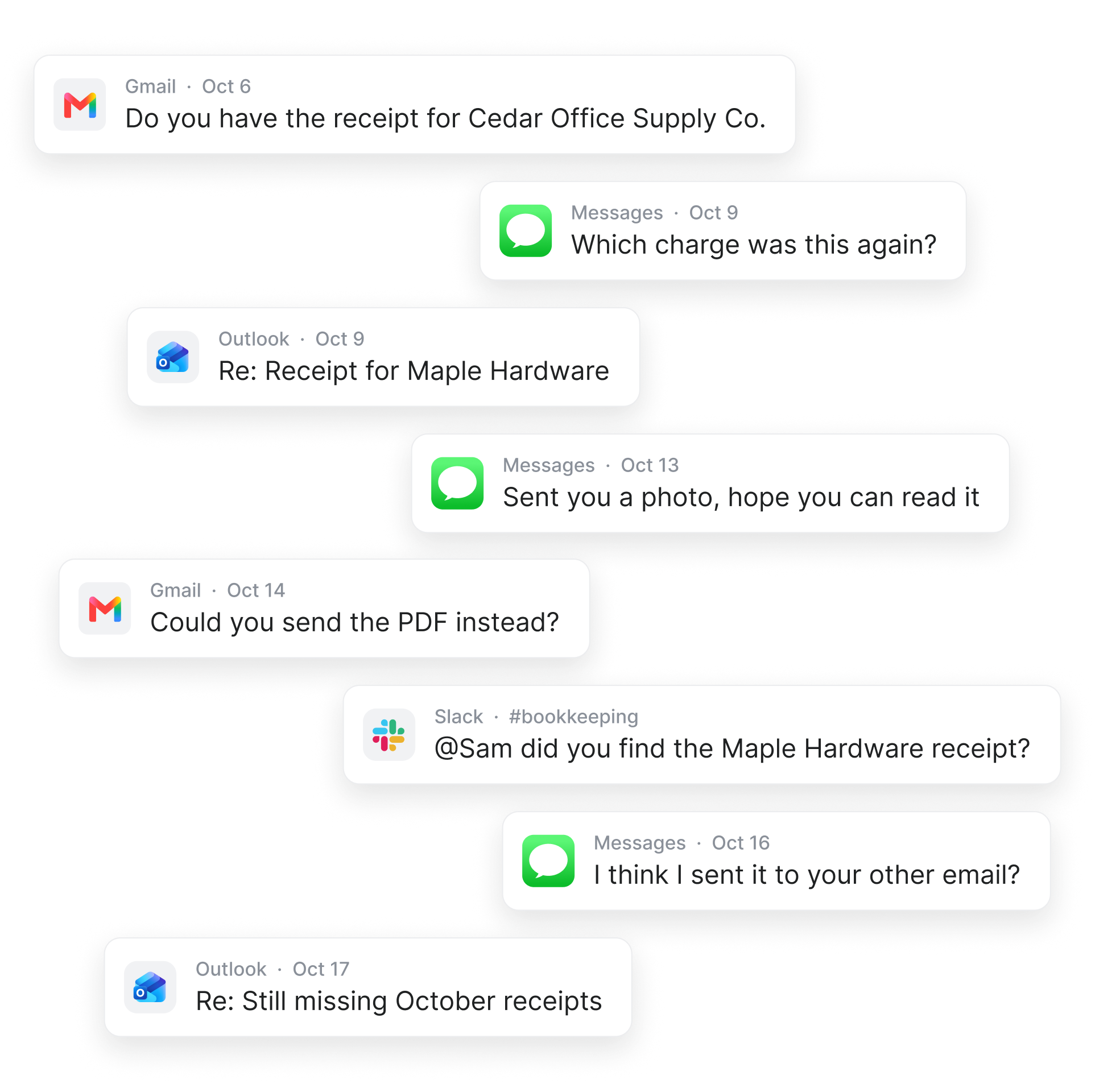
Stop chasing receipts and answers through email
Request missing documents and expense details in one place, without the endless email back-and-forth.
The old way
The Spendifique way
Less chasing, more answers
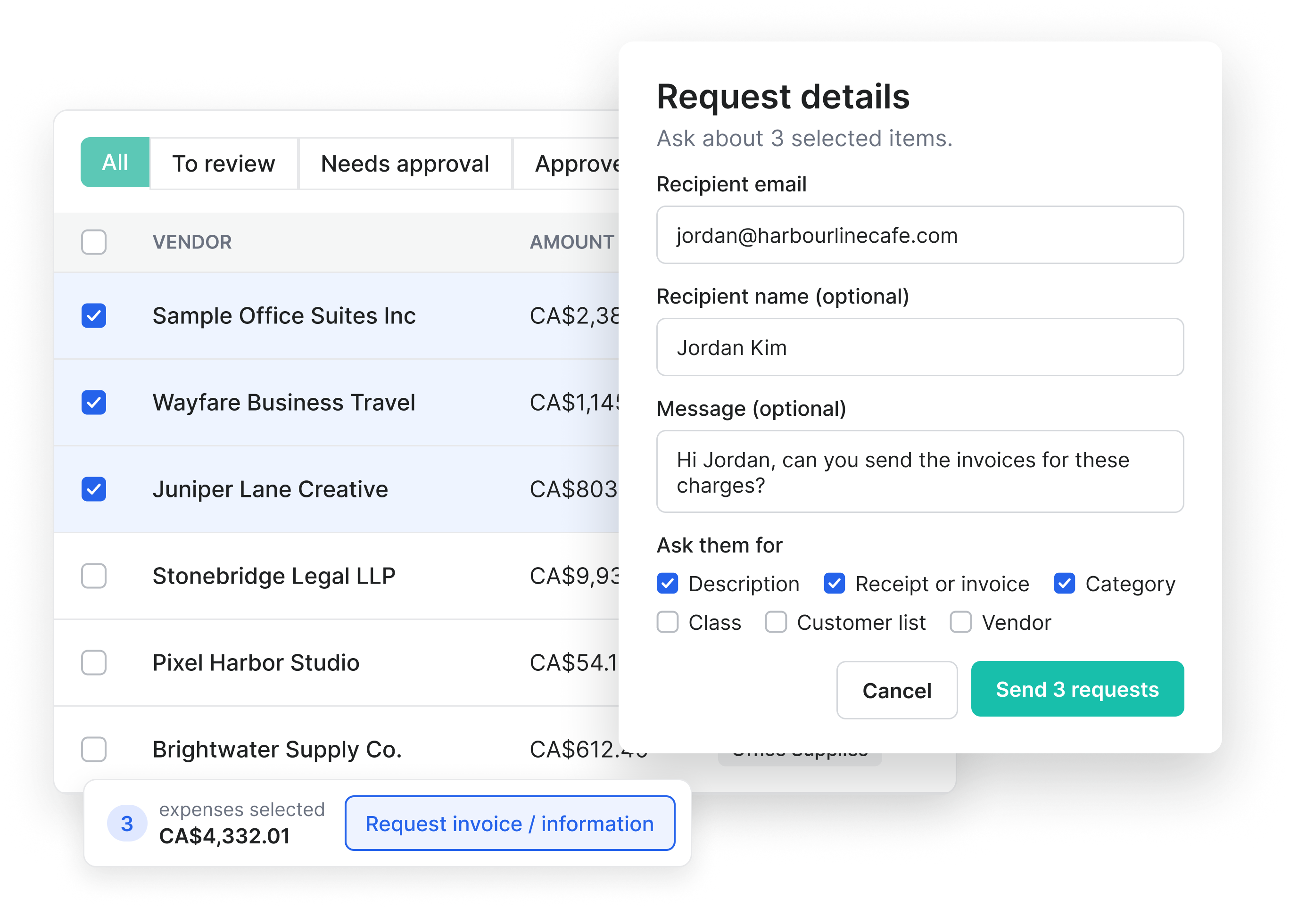
Request missing documents and details in a few clicks
Select an expense, enter the recipient's email, and ask for the information you need. Request receipts, invoices, descriptions, or categories for one or multiple expenses at once.
Anyone can respond, even without a Spendifique account
Recipients receive an email with a link that opens directly in their browser. They can leave a message, upload documents, or select the appropriate expense category or vendor without creating a Spendifique account or logging in.
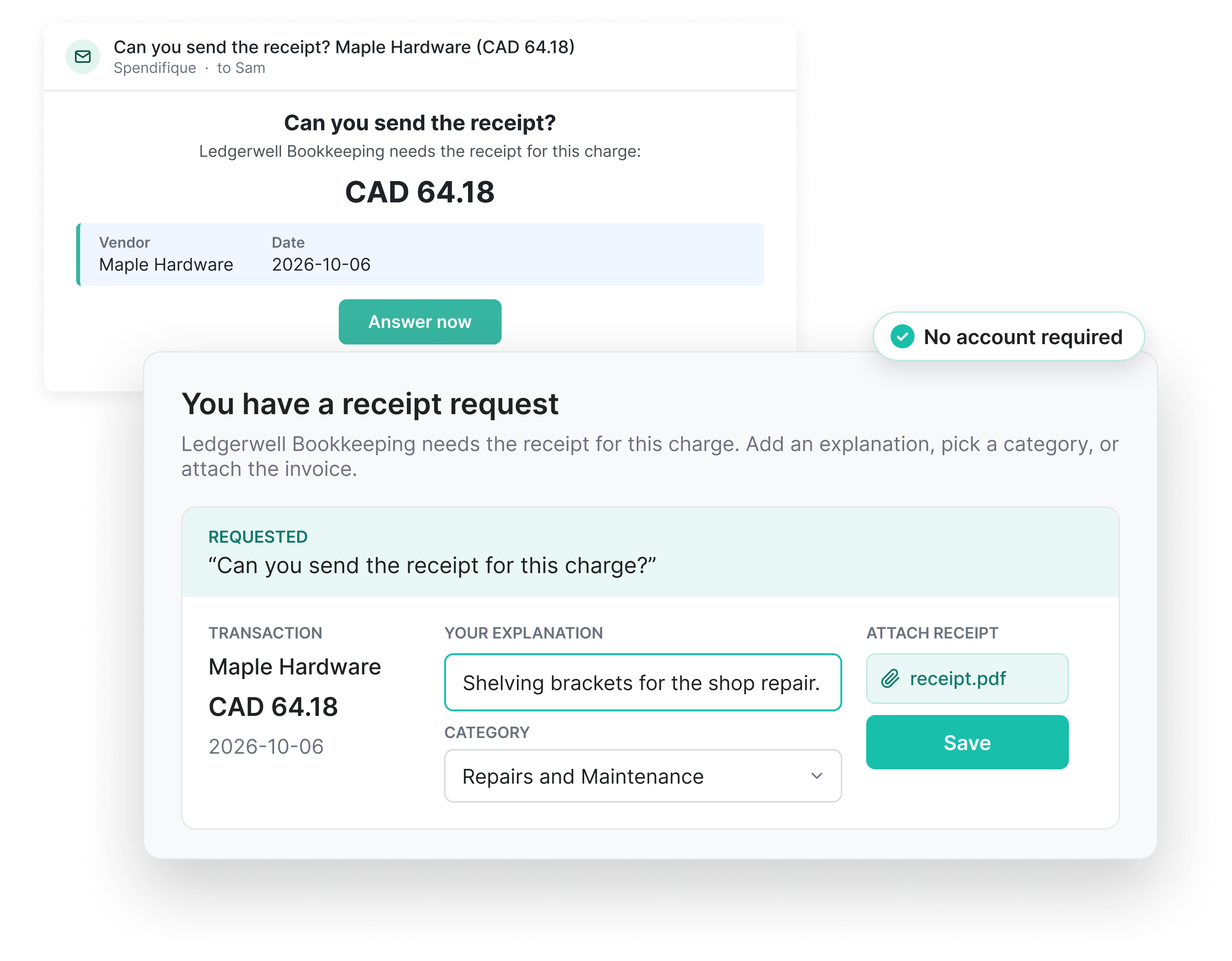
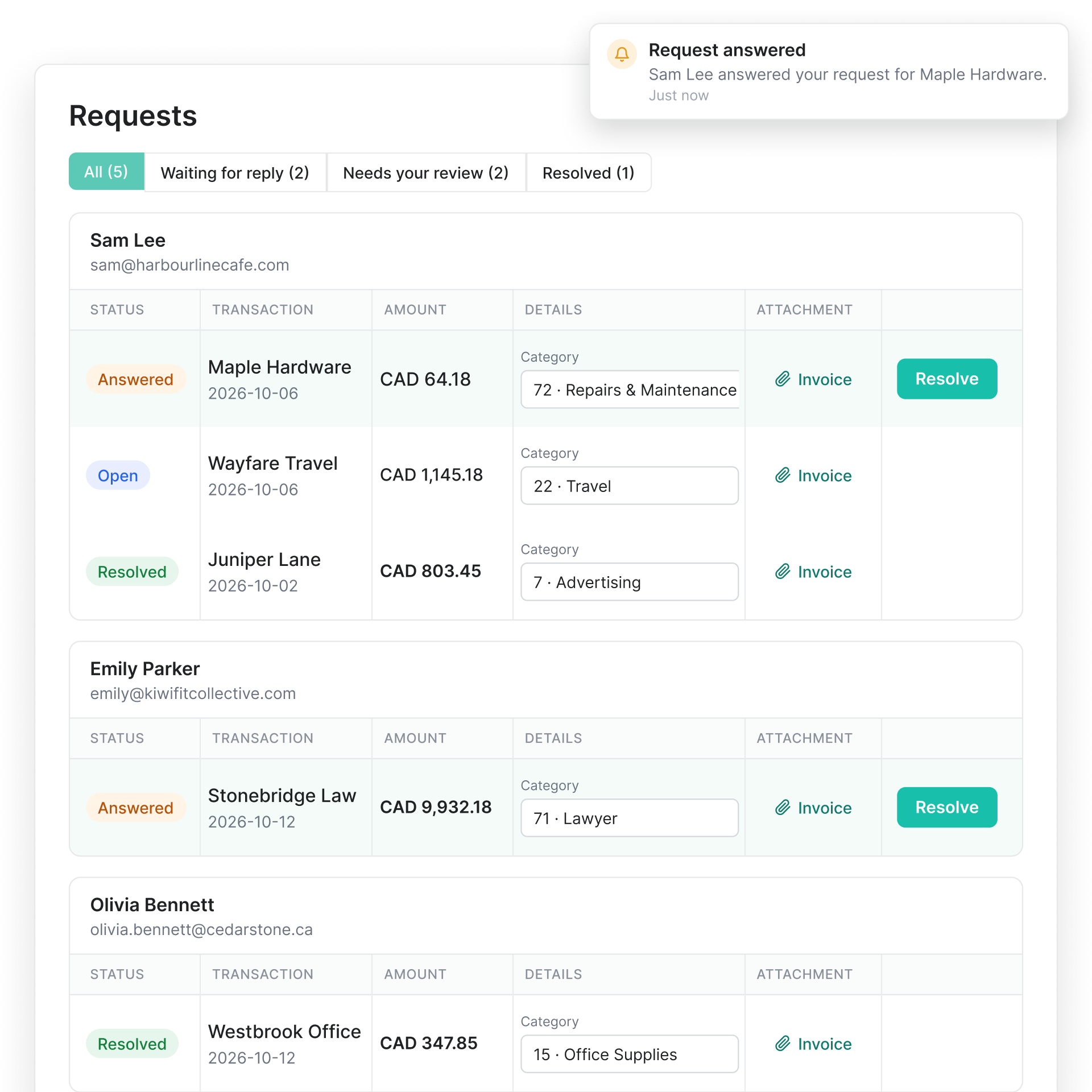
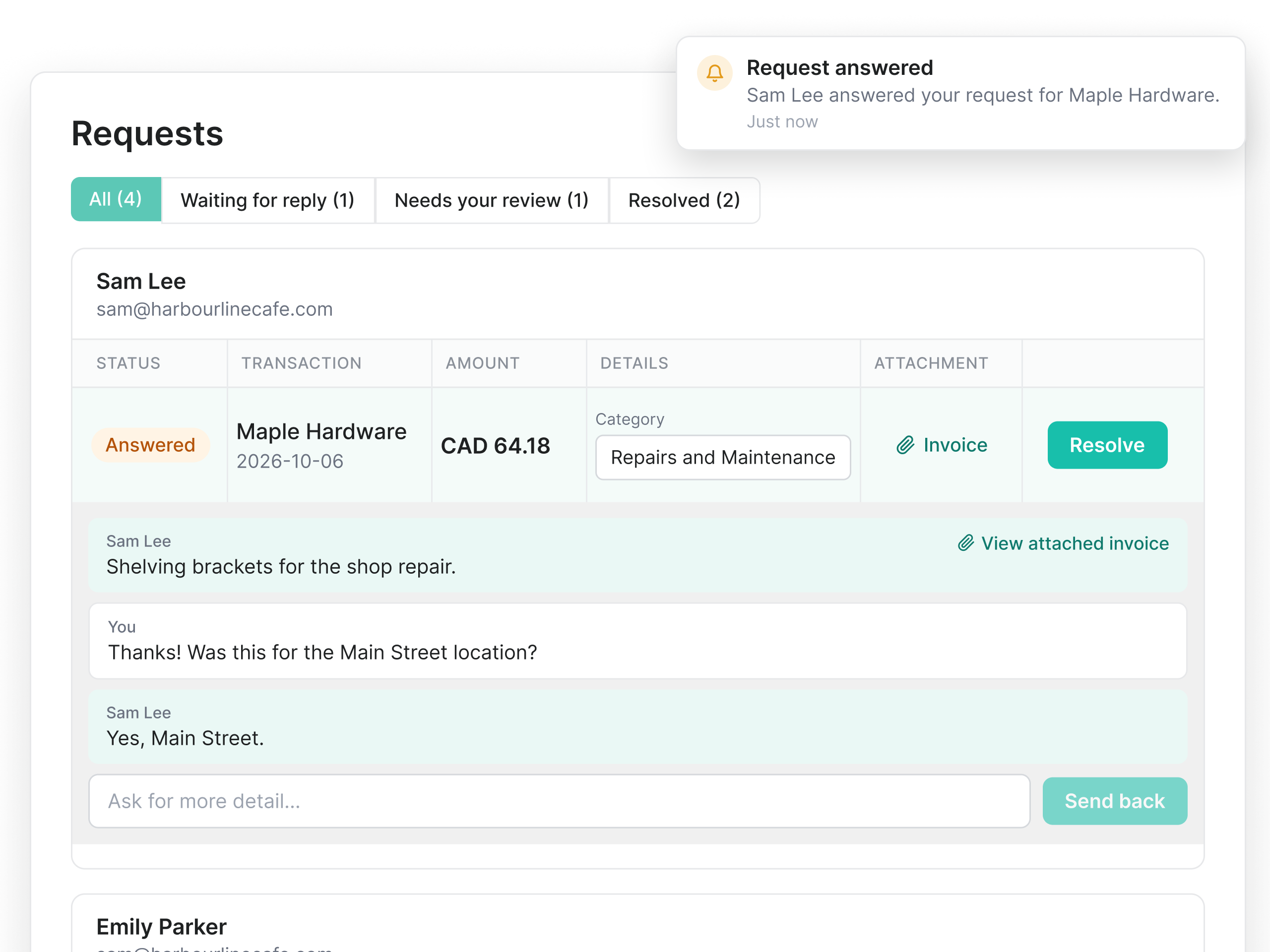
Every answer, attachment, and conversation in one place
Get notified when someone responds, review their answers and attachments, and ask follow-up questions without leaving Spendifique.
Get the details you need for every expense
Receipts and invoices
Request missing receipts or invoices and let recipients attach documents directly to their response.
Expense explanations
Ask about unfamiliar charges and let recipients explain what an expense was for in their own words.
Categories and vendors
Let recipients select the appropriate expense category or vendor from a dropdown menu.
More than collecting invoices
Once an invoice reaches Spendifique, it's ready for the next step.
Line item extraction
Every line on the invoice is pulled out, with its description, amount and tax.
Statement matching
Match invoices to bank and card statements and see what's still missing.
Inbox Sync
Connect your email to automatically collect new invoices as they arrive.
Accounting integration
Sync to QuickBooks Online or Xero with the PDF attached, or export to Google Sheets.
Built for bookkeepers and small businesses
Bookkeepers & firms

From $16.50 / client / mo.
Request missing receipts, invoices, and expense details from clients without endless email follow-ups. Keep responses, attachments, and conversations organized in one place, even when managing multiple clients.
Small businesses

From $9 / mo.
Need a receipt from an employee or clarification on a purchase? Send a request in a few clicks and let anyone respond without creating an account. Keep the information you need connected to each expense.
What bookkeepers are saying
Real feedback from bookkeepers and firms using Spendifique every day.
What made me switch was the lack of minimum client requirements. I didn’t want to pay for 10 clients when I only had 4 active ones. The multi-invoice PDF detection has also been surprisingly useful: it asks for confirmation and then automatically splits documents, which saves me a lot of manual effort. The extraction accuracy is better than what I’ve used in Xero and Hubdoc. Turnaround time is fast, and the suggestions are usually correct.

Having no limits on scans or line items is a big win. I don’t have to worry about usage caps when clients upload a large batch of invoices. The multi-line extraction works well, even on more detailed invoices with lots of items. I also appreciate that vendor recognition improves over time, it genuinely feels like the system learns and becomes more accurate the more I use it.
Speed is what really stands out. I can upload an invoice and within seconds, it's categorized with the vendor and tax details already filled in. The centralized dashboard makes managing multiple clients much easier, especially when assigning work to team members.

The workflow is straightforward and doesn't try to do too much. Setting up new clients is fast, and the chart of accounts and vendor lists sync automatically. Clients find the interface easy to use too, which cuts down on back-and-forth.
Questions about document requests?
In Spendifique, select an expense from your expense list, click Request Invoice / Information, and enter the recipient's email address. Choose what you need, add an optional message, and send the request. The recipient receives an email with a link to provide the missing documents or details.
No. Recipients can open the request link directly in their browser without creating a Spendifique account or logging in. They can upload receipts or invoices, provide expense details, and leave messages.
Yes. You can select multiple expenses in Spendifique and send requests for all of them at once. Each request includes the relevant transaction details, making it easy for recipients to identify the expenses and provide the information you need.
You can request missing receipts or invoices, expense descriptions, categories, vendors, classes, and customer information. Recipients can attach documents, explain transactions, and select the appropriate categories or vendors directly from the request page.
Both you and the recipient receive email notifications when someone replies to a document request. You can also customize your notification preferences in Spendifique, including email and push notifications.
Document Requests is available on all Spendifique plans, including the free Basic plan. Visit our pricing page to compare plans for Small businesses and Bookkeepers.
More questions?
Make document collection easier
Request missing receipts, invoices, and expense details from anyone, and keep every response organized in Spendifique.
Get started free