
Match bank and credit card statements to your invoices
Upload your statement. Spendifique matches transactions to invoices, flags missing documents, corrects discrepancies, and creates expenses from statement lines when invoices are missing.
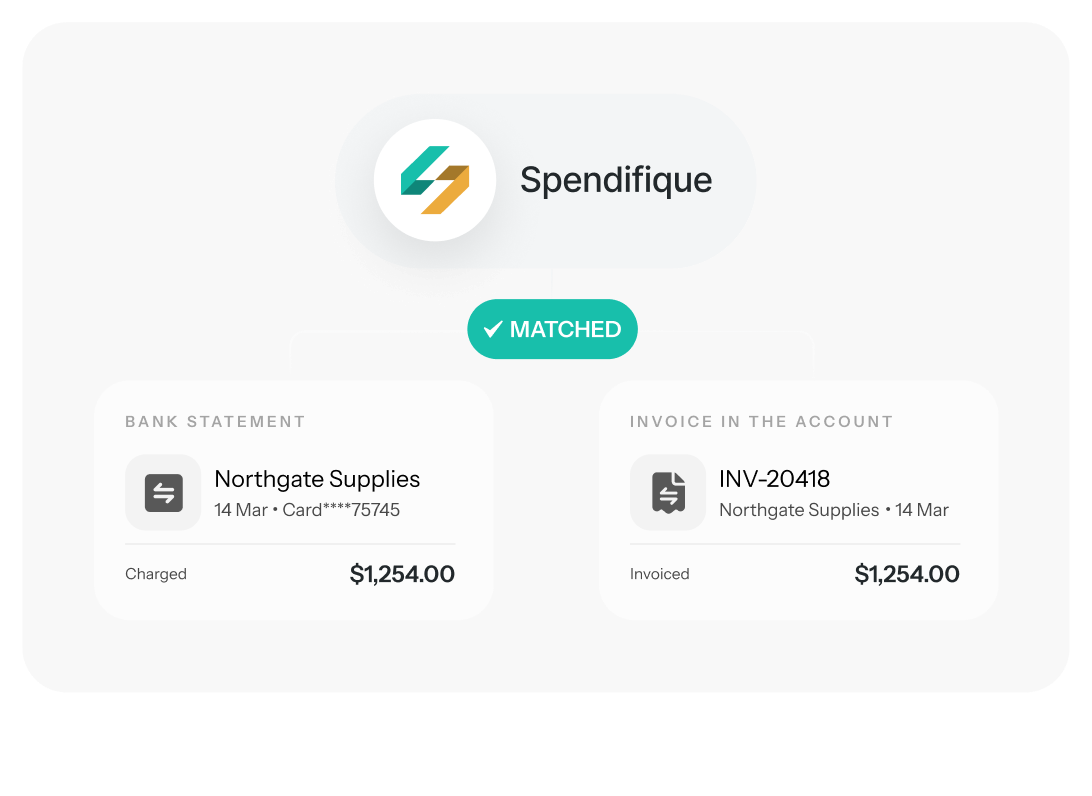



Your statement is the complete record. Your invoices usually aren't.
Upload bank and credit card statements. Spendifique matches transactions to invoices, creates expenses where invoices are missing, and flags unmatched purchases for follow-up.

Shows You What's Missing
Every transaction without a matching invoice is a purchase someone has not sent you a document for. The statement finds them; you no longer have to notice they are absent.

Corrects What Doesn't Agree
When the statement and the invoice disagree, confirming the match updates the expense to what the bank actually charged.

Records What Has No Invoice At All
Create expenses straight from statement lines, individually or in batches, with sales tax imputed.
From Statement to Reconciled, in Four Steps
Four Ways to Clear a Transaction
Not every statement line needs the same treatment, so Spendifique does not force them all down one path.
Confirm the match, and fix the difference
Spendifique pairs the transaction with its invoice for you to check. If the two amounts disagree, confirming the match updates the expense to what the bank actually charged. Clear them one at a time, or in batches when the results are obviously right.
Off by CA$28.40 the bank settled at its own exchange rate. Confirming corrects the expense.
Record the expense without an invoice
Turn statement lines into expense records directly, one at a time or in batches, with sales tax imputed on the entries. Built for bookkeepers whose clients keep their own invoices, and useful for anything that never generates a document anyway, like bank fees and recurring charges.
No document expected.
Ask for the document that never arrived
Select the transactions with no invoice behind them, one at a time or in bulk, and request the documents from someone on the account. They receive an email listing each charge with its date, description, and amount, along with any note you add. They upload straight to their Documents inbox, and Spendifique matches what comes back to the transactions it was asked about.
REQUEST EMAIL • 3 CHARGES
Sent to dana@northgate.co - uploads match themselves back.
Some lines aren’t expenses at all
A statement carries more than purchases. Transfers between your own accounts, deposits, refunds, and card payments all appear as transactions, and none of them belong in your expenses. Exclude them and they drop out of the review queue without becoming records.
Kept on the Excluded tab, so the decision stays visible.
Easier Than Checking Every Transaction Manually
Not every statement line needs the same treatment, so Spendifique does not force them all down one path.
I found Spendifique genuinely helpful and trusted the results. The bank statement reconciliation made it much easier to complete my expenses without manually checking every transaction.


Who Bank Statement Matching Is For
Business Owners

Someone on the team used the company card and the receipt never made it to you. Upload the statement and Spendifique pairs up what it can.
What's left is the list of charges with no document behind them, and you can request all of them at once from the people who made the purchases instead of working out who owes you what.
Bookkepers

You are reconciling across several clients and the documents arrive in different states from each. Matching turns the search-and-chase part of the close into a review queue: what matched is done, what didn't is a request you can send in bulk. You work inside your client's own Spendifique account, so requests go to the owner or their staff directly, rather than to you and then onward. And when a client keeps their own invoices and only sends you statements, you can record their expenses straight from the transactions, sales tax included.
The statement is what actually happened. Your records should agree with it.
An invoice tells you what a purchase was supposed to cost. The statement tells you what the bank actually took. The two often differ, and correcting them by hand means finding the original expense and editing it after the fact.
When you confirm a match in Spendifique, the expense is updated to the amount on the statement. The most common cause is foreign currency: an expense recorded at an estimated rate before the bank settled at its own. Spendifique adjusts both the amount and the stored rate, across the 26 currencies it supports.

What's supported, and what isn't yet


Direct bank connections Spendifique does not connect directly to your bank yet. Statements are uploaded as PDF or CSV. Direct connections are planned for a future release. We would rather you know this before you sign up than after.
Questions? We've Got Answers.
Don’t hesitate to contact us for more info or additional questions you interested in
Sign up for a free trial, no credit card required. When you're ready to upgrade to a paid plan, enter PARTNER30 at checkout. The 35% discount applies automatically to your first 6 monthly bills.
Your plan continues at the regular price. No surprises. You can cancel anytime — no long-term contracts, no cancellation fees.
Sign up for a free trial at spendifique.com. Once you are logged in, click on your profile icon at the top right corner of the page and select Company Settings. On the next page, click Change Plan, choose your plan, and enter the promo code WEBSUMMIT50 at checkout. You will get 50% off for your first 12 months. The offer expires May 31, 2026.
answer
A 1-on-1 session with our team to set up your chart of accounts, connect your accounting software (QuickBooks or Xero), and get your expense workflow running. Whether you’re starting from zero or switching from another tool, we’ll get you set up.